Preverb
Active member
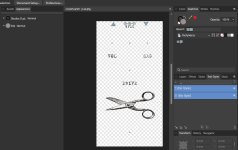
Hi everyone. For some reason, I am finding the pedal graphic design a bit painful in terms of my short attention span. The first pedal I tried create in affinity is all black. I read somewhere that you are supposed to have a white layer underneath but I think that was for printing colours? So if I chose to do red text or graphic, I would need a duplicate layer of white 1st?? If I am doing all black on a plain unpainted case, can I just do one layer of black and skip the underlying white layer?
Also, I imported/inserted a graphic (originally as png). I remember reading that images have to be rasterized before importing? I found the part of the long thread where it mentions https://www.autotracer.org/. It looks like I can just go to Layer--> rasterize and skip using the autotracer site??
Also, I imported/inserted a graphic (originally as png). I remember reading that images have to be rasterized before importing? I found the part of the long thread where it mentions https://www.autotracer.org/. It looks like I can just go to Layer--> rasterize and skip using the autotracer site??