Arduino - Dual Channel Tube Amp Bias Meter Project

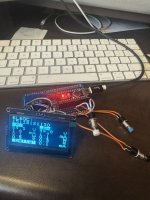
Here's a great project for a two-channel tube amp bias meter using an Arduino! It's perfect for accurately biasing your tube amplifier.

Arduino Code for Dual-Channel Version: https://pastebin.com/YDUdLNTX
Parts:

  • 1x Arduino Nano
  • 4x Push buttons
  • 1x SSH1106 Oled display board
  • 1x ADS1115 ADC board
  • 2x Bias Scout Probe kit


This dual-channel version is based on an original single-channel tube bias meter project:

Code for Original Single-Channel Version: Building a Tube Bias Meter - Arduino Code

and build blog


Feel free to share your updates or any other ideas! Cheers.
 
Last edited:
I'm working on building an updated version of the dual bias meter, and adding some additional features (powering the unit from the heater pins, for example). I've updated the code to work on the latest version of the libraries, modified the source from .ino to .cpp, created a PlatformIo project for it, added support for SSD1306/1309 displays, updated the font, and added documentation. It's all on the GitHub repo:

I've got a couple open discussion topics right now for potential enhancements.

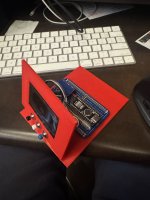
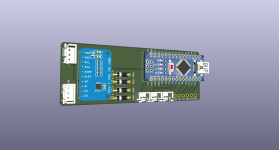
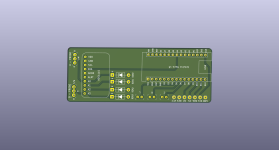
Right now I'm working on an enclosure for building it on an AirCookie prototype board, and am considering making a PCB in KiCad. I'm also working on a PCB for the probes that would fit a rectifier for powering it using 5VDC. I'll be sharing those files on GitHub when I'm done designing them.

IMG_6293.jpg IMG_6295.jpg
 
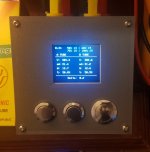
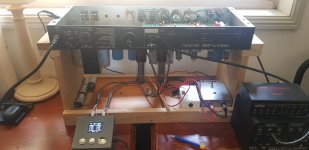
I have to check it out, I've also updated the code as well over the past few months, also made a pcb board and updated the 3D printed enclosure for 3 buttons and screen (1.44/1.8 Inch SPI TFT LCD Full Color Display Module ST7789 OLED Screen) .. I've been using it the past few months with several of my tube amps ( Fender 30, Fender Prosonic (Head and Combo), Laney Aor Pro tube 50, Fender 68 Custom Pro Reverb). Latest update I did was to be able to set the Voltage Scale and Resistor for the 2 probes to be accurate. here's the list of some the improvements I did below


  • Display Hardware and Library: Uses a color TFT display (ST7735) with Adafruit GFX library, allowing for colored text, visual warnings (e.g., red for high dissipation %), and a more engaging UI.

  • Calibration System: Includes a dedicated calibration mode (GUI_CALIBRATION_MODE) with EEPROM storage for voltage scales (vScaleA/B) and shunt resistances (rShuntA/B). This addresses hardware variations like resistor tolerances, improving accuracy (potential ±1% vs. ±5% without calibration).

  • ADC Configuration and Averaging: Sets ADS1115 gain to GAIN_SIXTEEN (same as Dual) but adds high data rate (RATE_ADS1115_860SPS) and averages readings over 20 samples (NUM_SAMPLES) to reduce noise and jitter.

  • Noise Handling: Applies an ADC noise threshold (ADC_NOISE_THRESHOLD=10) to set currents to 0 if below threshold, preventing false low readings.

  • Safety Features: Includes overvoltage checks (VOLTAGE_LIMIT=600V, VOLTAGE_SAFE=550V) with a red screen warning, blinking, and loop until safe.

  • Screen Current Subtraction: Uses per-tube screen factors (e.g., 0.055 for 6L6GC, 0.13 for EL34) for more accurate bias calculations.

  • Button Handling in Calibration: Implements time-based acceleration for button holds (slow steps initially, turbo after 800ms) for easier adjustments.

  • Code Modularity and Readability: More structured with functions like drawMetric() for efficient updates (only redraw changed values), checkAndHandleSafety(), and separate modes.

  • UI Enhancements: Adds a splash screen, fixed-width metric drawing, color-coded dissipation % (e.g., red >80%, yellow >70%, cyan <50%), and a more detailed bias screen layout with separators.

  • EEPROM Versioning: Uses an ID (EEPROM_ID=12350) to force calibration reset on version changes, ensuring compatibility.

  • Clamping Negative Values: Explicitly sets negative voltages/currents to 0 post-calculation.

  • Redraw Optimization: Uses a timed redraw interval (200ms) in bias mode for smoother performance.

  • Splash Screen and Startup Delay: Includes a 2-second splash and optional calibration entry during startup (hold left button).

  • ADC Channel Mapping Flexibility: Calculations incorporate calibrated scales/shunts, making it adaptable to different hardware.

  • Error Handling: Checks ADS.begin() and displays "ADC ERROR!" on failure.

  • Tube Definitions: While fewer tubes (3 vs. 10), includes a "RAW" mode without screen subtraction, and structures allow easy expansion with accurate factors."

If you're interested in checking out my version I put it up on github.
 

Attachments

  • 20250922_180355.jpg
    20250922_180355.jpg
    544 KB · Views: 4
  • 20250917_130906.jpg
    20250917_130906.jpg
    228.6 KB · Views: 4
  • BiasMeter_InputProtection_v3.png
    BiasMeter_InputProtection_v3.png
    161.3 KB · Views: 3
  • BiasMeter_InputProtection_v3board.png
    BiasMeter_InputProtection_v3board.png
    110.5 KB · Views: 3
Last edited:
Back
Top