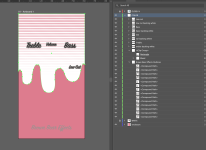
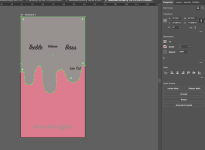
If I understand your design, you want the pink powdercoat to show through where the design is pink? If so, you could flatten the clipping group (using Crop in Pathfinder, e.g.).
The tool flags Process White (CMYK 0,0,0,0), but at the printer it's effectively transparent when it prints the COLOR layer. I've always left it, with no problems (making sure there's corresponding RDG_WHITE on the WHITE layer).
I usually do the RDG_WHITE stuff as a last step, copying everything to the WHITE layer and changing its fill there to RDG_WHITE. It's a lot easier when the whole design is flattened (using Merge in Pathfinder, e.g.). Lately I've deleted any Process White paths from the COLOR layer, and the tool seems happy with that.
Having RDG_WHITE on the COLOR layer might cause its grayish process color to print, but I assume the tool would flag that.