mattb33
Active member
- Build Rating
- 5.00 star(s)
I've been having fun lately spending some time learning PCB faceplate design (huge thanks to some of the conversations happening here for tips and tutorials). I've posted these in order of evolution in learning and experimentation.
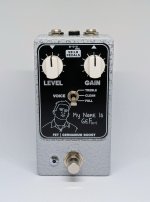
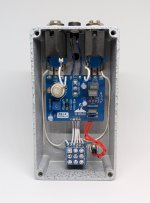
First one, the FET/Germanium boost - thank you to @Chuck D. Bones for the circuit design. Simple circuit in terms of number of components, but sounds fantastic, my favourite boost.
On the faceplate, the 9V text is not in alignment for that special OCD eye-twitch moment, but it's a small detail I can live with. I printed slightly different designs on each side so I had options and in case there were scratches on one side, but I preferred this design.


#2 - Bass Preamp and EQ shaper, based on the now out-of-production (I believe?) Southampton Icteo. A very handy utility for bass.
Played around with the ENIG surface finish for this one to get the gold colouring.


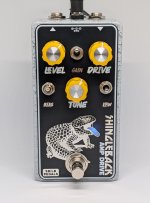
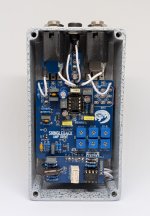
#3 - The Shingleback - based on the ROG Supreaux Deux, with the Bias switch to allow for the change over to the Taqueria/TacoBolt.
For this one, the experimentation was in having a backlit faceplate (see here for a tutorial from @szukalski). It might be hard to tell in the picture since it's well-lit, but the tongue is the on/bypass indicator - yes, shingleback lizards are species of blue-tongued skink, so it's not just our blue-tongues that have blue tongues.


One of the biggest benefits to all this is that for designs with some uniformity (like the 3-knob design of the FET/Ge boost and Shingleback here), I can have enclosures drilled covering different pedal designs, and can cover up any unused holes with the faceplates.
First one, the FET/Germanium boost - thank you to @Chuck D. Bones for the circuit design. Simple circuit in terms of number of components, but sounds fantastic, my favourite boost.
On the faceplate, the 9V text is not in alignment for that special OCD eye-twitch moment, but it's a small detail I can live with. I printed slightly different designs on each side so I had options and in case there were scratches on one side, but I preferred this design.
#2 - Bass Preamp and EQ shaper, based on the now out-of-production (I believe?) Southampton Icteo. A very handy utility for bass.
Played around with the ENIG surface finish for this one to get the gold colouring.
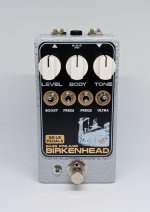
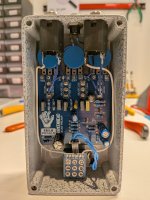
#3 - The Shingleback - based on the ROG Supreaux Deux, with the Bias switch to allow for the change over to the Taqueria/TacoBolt.
For this one, the experimentation was in having a backlit faceplate (see here for a tutorial from @szukalski). It might be hard to tell in the picture since it's well-lit, but the tongue is the on/bypass indicator - yes, shingleback lizards are species of blue-tongued skink, so it's not just our blue-tongues that have blue tongues.
One of the biggest benefits to all this is that for designs with some uniformity (like the 3-knob design of the FET/Ge boost and Shingleback here), I can have enclosures drilled covering different pedal designs, and can cover up any unused holes with the faceplates.