

Cybercow
Well-known member
Not at all. This is concerning. When I opened mine back up, it looked like yours too. On my MacBook I corrected, re-saved & re-opened it; only to have it with the dropped pot connections again. So, I started it over from scratch and did a "Save As..." with a new name: "R01_Stereo_Ambient_Reverb_02.spcdj" - and It's supposed to look like this (And note how the filename is not yet inserted into the first line of the patch's "Patch Information" dialog box. All the Control Panels were closed when I did the "Save As..."; then opened them all and took this screencap.) . . . .View attachment 124623
Not really responsive to the pot controls. are these supposed to be floating blocks?
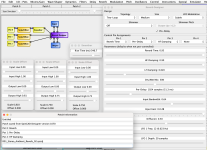
But when I re-opened the new "R01_Stereo_Ambient_Reverb_02.spcdj" file, it opened up looking like this (And note how the first line of the patch's "Patch Information" dialog box is filled in now. That first line is NOT user editable - But the other lines below it are.) . . . .
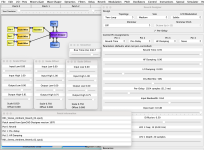
So I'm off to my Windows machine to see what's different. I suspect it may have to do with the Java version on my Mac. I need to run some tests and debug mode captures for Digital Larry.