
Inkscape to Affinity Designer to Tayda UV printing - help please

zakco

New member
I have been following this excellent tutorial:

I am having two problems:

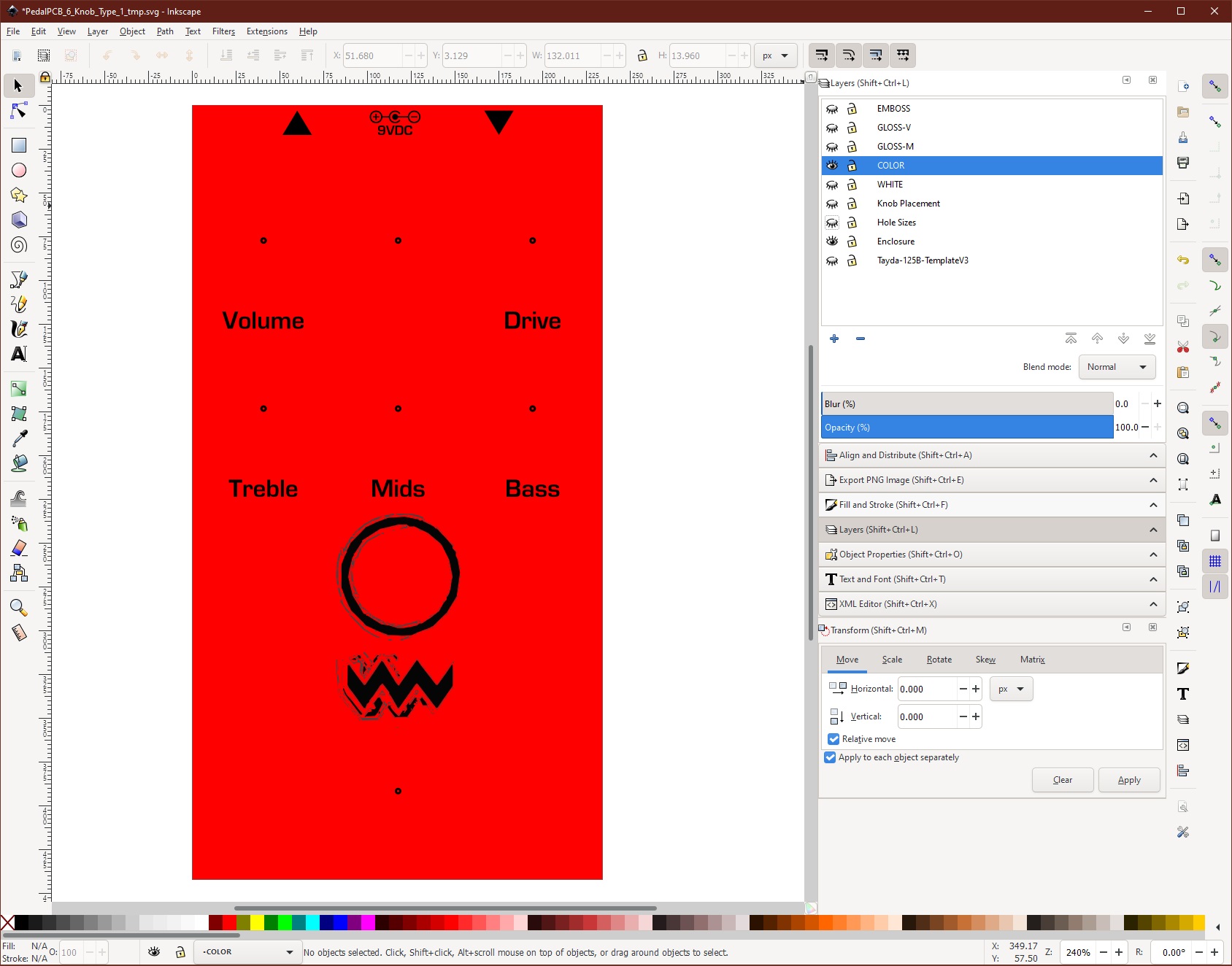
1. "Text to Paths" step in Inkscape. When I follow the instructions using the "object to path" command, the object icon in the layer does change from the text symbol to the path symbol and it appears to be successful, but when the svg file is opened in Affinity Designer and I go to change the colors on the gloss and white layers to the Roland Swatches, the (formerly) text objects do not change color with the other objects and they appear to still be editable text.

2. I've installed the Roland Swatches in Affinity designer, but the pallettes only have two colors - the bluish one used for gloss and the Greyish one for the white layer. Where are the other colors?

I've spent hours consulting the web on this without success...any help would be appreciated, thanks!
 
You can use any CMYK palette of your choice for other colors.

Have you tried "convert to curves" in Affinity for those troublesome test objects? Inkscape has historically been wonky as far as SVG export format compatibility FWIW. Try plain SVG instead of Inkscape SVG; occasionally that has worked for me, although I don't remember if I've tried it with Designer.
 
You can use any CMYK palette of your choice for other colors.

Have you tried "convert to curves" in Affinity for those troublesome test objects? Inkscape has historically been wonky as far as SVG export format compatibility FWIW. Try plain SVG instead of Inkscape SVG; occasionally that has worked for me, although I don't remember if I've tried it with Designer.
I'll try that, thank you!
 
I have been following this excellent tutorial:


I am having two problems:

1. "Text to Paths" step in Inkscape. When I follow the instructions using the "object to path" command, the object icon in the layer does change from the text symbol to the path symbol and it appears to be successful, but when the svg file is opened in Affinity Designer and I go to change the colors on the gloss and white layers to the Roland Swatches, the (formerly) text objects do not change color with the other objects and they appear to still be editable text.

2. I've installed the Roland Swatches in Affinity designer, but the pallettes only have two colors - the bluish one used for gloss and the Greyish one for the white layer. Where are the other colors?

I've spent hours consulting the web on this without success...any help would be appreciated, thanks!
Can you still edit the text after converting to paths? Should not be able to.

Re colours, are you sure you are changing the fill colour and not the strike?

You only need the 2 swatch colours
 
You can use any CMYK palette of your choice for other colors.

Have you tried "convert to curves" in Affinity for those troublesome test objects? Inkscape has historically been wonky as far as SVG export format compatibility FWIW. Try plain SVG instead of Inkscape SVG; occasionally that has worked for me, although I don't remember if I've tried it with Designer.
It seems like a couple of factors were involved. I was opening the svg file from Inkscape directly in Affinity Designer and the text to paths didn't seem to translate. I exported the file instead as a "plain svg" and when opened in Affinity Designer, the text was no longer editable, so that's good. At first it appeared that the text still didn't change color but when I zoomed way in, I could see that the black portion was an outline with fill and the fill color had changed to the correct Roland color with the rest of the graphics. Is this normal or does that mean that I've done something odd with the text formatting in Inkscape that could be problematic for Tayda printing?

I've exported as a pdf and re-imported and I think everything looks good, but if anyone here would be willing to have a look and verify that it's good to send for printing, I would be really greatful. I have several other pedals in the works and want to make sure I've got the process right before I order the rest. Thanks!

Link to pdf export:

 
Back
Top