erelguitars
New member
Hi there
I know there are some platforms out already that work nice - and Brian Wampler (pedalspice.com) just launched a version (I've not used it so I don't know what it does).
I've been working on an own implementation on such a spice-simulated web-solution on the past weekends. To be fair, I've built it using claude (so yes, it's mostly vibe-coded) - I am a Software Engineer, so I do understand the code but I'm more interested in the output here.
It's free for use - it will stay free (I'm not planning to make money out of it!)
So if you like you can register at https://www.circuitstomp.com and give it a go.
Circuit Stomp – key features
If there is a problem or if there are suggestions for a feature, please leave it directly in the app (there is a feedback button at the top).
Limits:
Some impressions of the webapp
Live-Preview

Pedal

Schematic

best regards and greetings from Switzerland
Daniel
I know there are some platforms out already that work nice - and Brian Wampler (pedalspice.com) just launched a version (I've not used it so I don't know what it does).
I've been working on an own implementation on such a spice-simulated web-solution on the past weekends. To be fair, I've built it using claude (so yes, it's mostly vibe-coded) - I am a Software Engineer, so I do understand the code but I'm more interested in the output here.
It's free for use - it will stay free (I'm not planning to make money out of it!)
So if you like you can register at https://www.circuitstomp.com and give it a go.
Circuit Stomp – key features
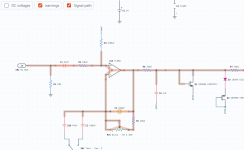
- Draw: schematic editor in the browser with a large part library, from resistors and op-amps to valves, plus ready-made blocks such as tone stacks and gain stages.
- Simulate: SPICE-style solver with frequency response, waveform, spectrum, and operating point, updated live as you edit or turn a knob.
- Listen: play a guitar recording or your own audio file through the circuit, or run it in real time on the audio input.
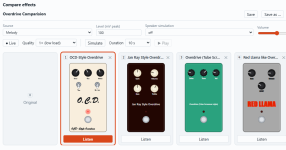
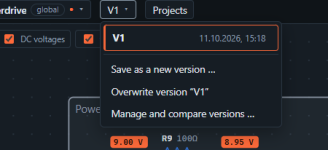
- Compare: several knob and part settings side by side, and named project versions (V1, V2 …) to switch between.
- Pedal view: every circuit appears as a pedal or amp with working knobs, in an enclosure you can design.
- Share: projects saved per account (non shareable at the moment), global example circuits, import and export for KiCad and SPICE.
- Basic user: Ability to store 20 private projects, upload 5 audio-files (mp3 up to max 4 MB / File), create blocks, have 20 versions per project
- Extended user: (additional to basic user) unlimited private projects, upload 20 audio-files
If there is a problem or if there are suggestions for a feature, please leave it directly in the app (there is a feedback button at the top).
Limits:
- its only a simulation - so the best it will give you is an indication
- I'm doing this in my spare time, so don't expect instant responses - but I'm happy if I get feedback

- some ICs/Parts are not tested (delay, control, cmos, optocoupler for example) - maybe you are experts in these fields - I'm not (I just have fun building/tweaking effects)
- also guitar-amps work, but they require lots of power, the jtm45 circuit that I included runs at the very limit on my machine (which is not a bad one).
- Performance-wise I have no idea, how it works on less-powerful machines
Some impressions of the webapp
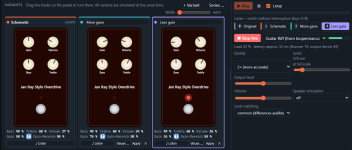
Live-Preview
- Use a given mp3, upload your own mp3 or have your guitar directly routed through
- Have multiple variants with different settings - you can switch through them while in live mode (or switch it off to hear the original sound)
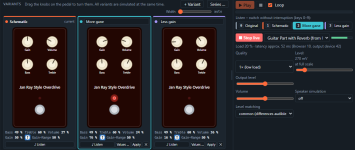
- Change certain values on a variant to - for example - A/B what a cap-switch / res-value change would do (Values .. button)
- If the circuit is too demanding, live mode probably wont work (you see the load-%) you can also generate clips for all of your variants - they wont respond to instant changes but you can still switch through them
Pedal
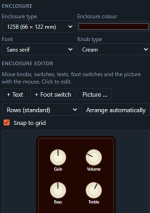
- Design the look of the pedal
- Give it a back-color, change the knobs, select the enclosure
- align buttons/switches/texts on the pedal
- Add additional text
Schematic
- Draw your schematic or import it using a kicad-file (this does not work 100% correct - at least not for all cases)
- use given blocks
- add notes to a region
- export it to kicad (this is untested at the moment)
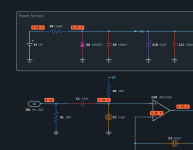
- Make several version for your effect, so you can get back to an earlier version if your changes are bad

best regards and greetings from Switzerland
Daniel
Attachments
Last edited: