
In search of Stereo Reverbs and Delays to fill 2 Binaura EEPROMS.

View attachment 124623
Not really responsive to the pot controls. are these supposed to be floating blocks?
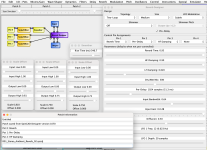
Not at all. This is concerning. When I opened mine back up, it looked like yours too. On my MacBook I corrected, re-saved & re-opened it; only to have it with the dropped pot connections again. So, I started it over from scratch and did a "Save As..." with a new name: "R01_Stereo_Ambient_Reverb_02.spcdj" - and It's supposed to look like this (And note how the filename is not yet inserted into the first line of the patch's "Patch Information" dialog box. All the Control Panels were closed when I did the "Save As..."; then opened them all and took this screencap.) . . . .
Screen Shot 2026-09-16 at 8.24.17 PM.png

But when I re-opened the new "R01_Stereo_Ambient_Reverb_02.spcdj" file, it opened up looking like this (And note how the 1st & 2nd lines of the patch's "Patch Information" dialog box are filled in now. That first two lines are NOT user editable - But the other lines below them are.) . . . .
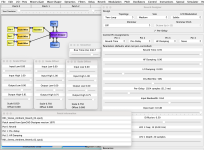
Screen Shot 2026-09-16 at 8.25.44 PM.png

So I'm off to my Windows machine to see what's different. I suspect it may have to do with the Java version on my Mac. I need to run some tests and debug mode captures for Digital Larry.
 
Last edited:
@BrainGutz, @Digital Larry - what happened as described in post #101, also happens in Windows. Suggesting something's not right about the "Reverb Designer" block. So I'm at a loss for now. The only work-around I can see right now is to save out the SpinASM file before saving the SpinCAD native patch when using this block. But I haven't tried that yet, but will tomorrow.

I'll also go back to the drawing board in an older version of SpinCAD (before the JSON file saving routines, and see what I can spin up for R01.
 
Yeah, that should get you there. You'll have to read the instructions for EEPROM burning/flashing, cuz I use a Spin-Semi FV-1 Development Board to flash mine. I only use my generic EEPROM flasher for reading/ripping. And note that this unit does not come with the software, but tells you where to find it.
Is the spin fv1 development board an appropriate tool for burning eeproms or just for testing sounds?
 
Is the spin fv1 development board an appropriate tool for burning eeproms or just for testing sounds?
It does both. However, auditing from the Spin-Semi FV-1 Dev Brd lacks a Dry/Wet mix. The best auditing method is from an actual FV-1 corcuit build. I like how easily The SpinASM software writes to the Dev Brd. And if there's something wrong with the SpinASM file, the software tells you which patch and what line(s) is (are) offending it when you go to "Build" (flash) the EEPROM.
 
It does both. However, auditing from the Spin-Semi FV-1 Dev Brd lacks a Dry/Wet mix. The best auditing method is from an actual FV-1 corcuit build. I like how easily The SpinASM software writes to the Dev Brd. And if there's something wrong with the SpinASM file, the software tells you which patch and what line(s) is (are) offending it when you go to "Build" (flash) the EEPROM.
Ah! So do you keep the back loose or off of the pedal to access the board or do you just not need an enclosure? It seems like it would be annoying having to access the eeprom itself regularly.
 
Ah! So do you keep the back loose or off of the pedal to access the board or do you just not need an enclosure? It seems like it would be annoying having to access the eeprom itself regularly.
I keep the backs loose of those pedal I need to access often; keeping the screws in. a small plastic baggy.

I should have the first reverb patch candidates later today. I'm frustrated about the Reverb Designer block issues.
 
Last edited:
Back
Top