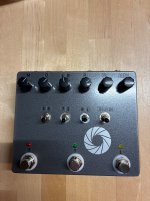
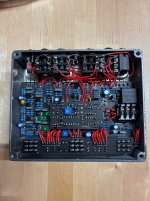
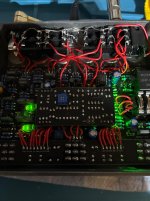
On my build LED2 is always on, when the tremolo is engaged LED2 and 1 are pulsating in asymetric timing.
And when the flanger is engaged, LED3 lights up without pulsating.
So you need that LED1 to light up. Check if it's getting some current with your multimeter, check the polarity orientation, check with your multimeter on diode mode if the led is still working, check all pads, reflow them and clean the tiny spaces between them, check component values in the aera if needed, do some continuity tests to check the connections, clean the pcb with an old dry toothbrush or some pcb-cleaning spray, etc.
I vaguely remember reading somewhere that LED3 is meant to shape the modulation by adding a little bit of light to the BBD photoresistor.
But im not sure about that.
With some luck, you just need to find the right range on the Bias trimmer. Have you looked for a sweet spot around mid rotation ?
Does the BBD Led pulsate, following the Rate and Depth controls ?
If the modulation doesnt work you can try to reflow all suspicious pads, maybe start over the BBD daughterboard's connector in the top-right corner, and double check everything including the wiring, hoping that you ll be very lucky and fix it this way, without really putting your nose in the guts of this device.
Maybe you can also try with the circuit out of the box, in case it was a jack shorting with something when everything is in the box.
If it still doesnt work, you can either use an audioprobe to follow the audio signal, looking at the schematics, check if the BBD is working by looking for a modulated signal at IC3 pin7 and 8, and find out where is the issue by following the signal path.
[DIY Fever] Audio Probe - very simple contraption that helps with debugging audio circuits
diy-fever.com
Or you can use a multimeter and post your voltage readings on all ICs and transistors, hoping that you or someone on this forum will spot a suspicious voltage reading and maybe find the issue.
Or you can do both to speed up the process.