Graphic Assets for DIY Builders

Graphic Assets for DIY Builders

Here's one "interesting" thing I've been working on related to this stuff.

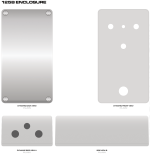
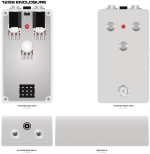
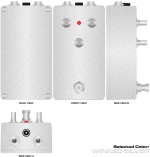
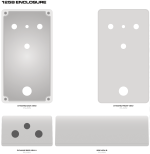
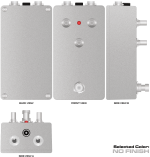
Dynamic enclosure files. What the heck is that? I'm glad you asked. It's a file designed to give you a 2D render of how hardware will look at scale when assembled. Here's a couple screenshots of the 3-knob file to demonstrate:

Base view:
1731098766034.png

Screws and cover removed from back view:
1731098883853.png

Now, with some hardware:
1731098910997.png

Some limitations and some things I'm considering attempting with this:

I'd like to have all drill variants in a single design file, but it's likely that the file size could grow very large, very fast. It's probably best to keep each drill pattern separated into its own file.

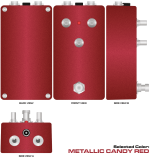
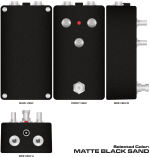
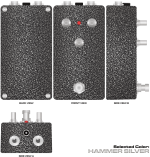
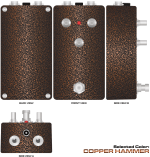
I'm considering adding options for powder coat colors (what's offered at Tayda/Stomp Box Parts is probably sufficient) to the enclosure views, but I'd have to work out how to allow users to choose colors dynamically and maintain proper layer stacking order. It's a tall task and will be a lot of work, but I may attempt it...

Is something like what I've shown useful to you?
This is going to take a considerable amount of effort to complete. If nobody is going to use these, I'll focus my efforts on something else.
 
I love it! In another forum someone cam ein and wanted to sell these graphics. But in my opinion not in the same quiality that you are delivering.
 
I love it! In another forum someone cam ein and wanted to sell these graphics. But in my opinion not in the same quiality that you are delivering.
Thanks, I appreciate the compliment on quality. I won't knock someone for trying to earn a little money for their time, I've invested a substantial amount of time and effort drawing these graphics. He may have had different licensing terms (where his graphics are permitted for use in commercial endeavors, for example). Everything I have provided here and on my GitHub is strictly for personal-use only, if someone were to use these illustrations for commercial-use, I think I'd expect to be compensated as well.
 
I'm very excited for you guys to see the progress on the dynamic enclosure file. I've always wanted to have a semi-accurate portrayal of enclosure finishes from Tayda when doing enclosure/graphic/component mock-ups and it's been something I've always felt was an insurmountable task, until now. The file will be large (something like 6-8MB) and I had to choose between having all the different Tayda powder coat options in a single drill template file, or no colors in a file with all the drill templates. I think it made more sense to show the color options and keep separate files for each drill pattern.

Before I show you these screenshots and you get distracted by "Oooh, CANDY!", I'd like to ask for a volunteer or two to reach out if you're interested/willing to participate in testing a version of this file before it goes live on my GitHub repo. It's going to work best for someone that has Affinity Designer, but it may be helpful to have someone take a look at the file structure in another vector editing program to see if how it works there.

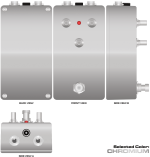
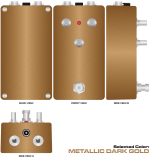
Here are a couple screenshots (click the thumbnail to enlarge). I'm so friggin' pumped to show you guys these...
1731191011560.png 1731191058656.png 1731191087890.png 1731191114107.png 1731191141247.png 1731191261611.png 1731191226547.png 1731191287618.png

I have just about every powdercoat finish option that Tayda offers covered in this file. These are just a preview of what's to come...
 
Last edited:
Brett updated Graphic assets for DIY builders with a new update entry:

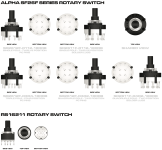
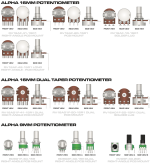
New Components Added - Rotary Switches and Potentiometers

New illustrations added to my GitHub repo under the Graphics section. This time, it's Rotary Switches and Potentiometers.

I'll add some previews in the post following this update.

If you're using Affinity Designer, be sure to grab the file ending in .afdesign. The AD file is highly organized and will make quick work of adding these jacks to your global assets. If you're not using Affinity Designer, no worries, I've included a vectorized PDF for use with other programs.

Here's the direct...

Read the rest of this update entry...
 
Brett updated Graphic assets for DIY builders with a new update entry:

New 125B Dynamic Enclosure File

The new dynamic 125B enclosure file has been added to my GitHub repo under the Graphics section. This one needs a bit more explanation than standard components, so details and previews will follow.

Here's the direct link to the GitHub folder containing enclosures:

Enjoy!

Read the rest of this update entry...
 
Last edited:
I'd like to introduce the newest "tool" to the graphic assets, a dynamic 125B enclosure mock-up file.

I was able to get all the standard 125B drill patterns into a single file, with just about all of the powder coat color options offered by Tayda Electronics. In order to do this and keep the file size manageable, I had to make some compromises:
  • I wasn't able to illustrate the enclosures in their pre-drilled no hardware state. This would have required significantly more illustrations (each color would have required five different illustrations) and would have driven the file size up to a ridiculous size. This shouldn't be a big deal when you're trying to do mock-ups WITH hardware.
  • No standard PDF with this release. I couldn't come up with a way to maintain layer structure on invisible layers (and there are a TON of them) with a PDF export. Sorry to anyone not using Affinity Designer.
  • No knobs are included, you'll have to add those yourself. I've left the design guides that I used so that should make for easier placement when you add knobs to your mock-ups. To enable the Guides, select View > Show Guides.
With all of that out of the way, here's how the file works (click on image thumbnail for larger view):
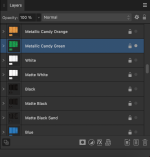
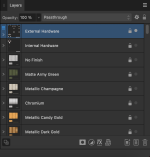
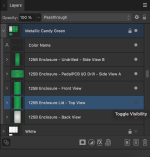
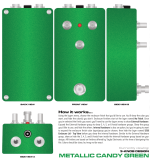
  1. Using the layers menu, choose the enclosure finish that you'd like to use. You'll show the color you want, and hide the color(s) you don't. Enclosure finishes start at the layer named No Finish. Let's choose Metallic Candy Green for the purposes of this demonstration.
    1731357706132.png
  2. Once you've selected the finish you want, you'll need to use the layers menu to show External Hardware.
    1731357815387.png
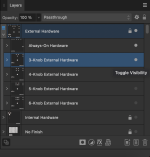
  3. Expand the External Hardware group to show 3, 4, 5, or 6-knob hardware groups. Show the group you'd like to use, and hide the others. Let's choose 3-Knob for this demonstration.
    1731357861805.png
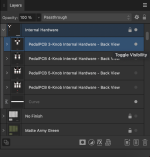
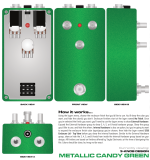
  4. Internal hardware is also an option, but you're going to want to expand the enclosure finish color layer/group you've chosen, then hide the layer named 125B Enclosure Lid - Top View before you show the internal hardware. Similar to the External Hardware group, show or hide the 3, 4, 5, and 6-knob from inside the Internal Hardware group based on your design.
    1731357919040.png 1731357957139.png
With those options selected, you should now have a Metallic Candy Green 125B enclosure shown with a 3-knob hardware setup, like so:

Shown with Internal Hardware hidden and 125B Enclosure Lid - Top View visible:
1731358060694.png

...and with Internal Hardware visible and 125B Enclosure Lid - Top View hidden:
1731358180958.png

I spent a ton of time on this, I hope you all find it useful!
 
Omg I just caught up with this thread. Thank you so much Brett for sharing these! I can’t wait to use them for my next laser engraved faceplate!
 
I can’t wait to use them for my next laser engraved faceplate!
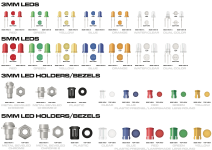
I hope they come in handy! I think at this point, the only necessity that I'm missing for a complete 2D mock-up is LEDs. Perhaps I'll look into those next...
 
Brett updated Graphic assets for DIY builders with a new update entry:

New Illustrations Added! Others updated...

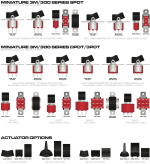
New illustrations added to my GitHub repo under the Illustrations category, and I've re-structured the file directory to keep things a bit more organized. If you've saved any links that pointed to a child directory of /Graphics/, they may not work moving forward. This update brings some Rocker Switches and LEDs!

I'll add some previews in the post following this update.

If you're using Affinity Designer, be sure to grab the file ending in .afdesign. The AD file is highly organized and will...

Read the rest of this update entry...
 
Brett updated Graphic assets for DIY builders with a new update entry:

New and updated Knob Illustrations...

This update brings some quality of life updates to a couple knobs and introduces a few others!

I'll add some previews in the post following this update.

If you're using Affinity Designer, be sure to grab the file ending in .afdesign. The AD file is highly organized and will make quick work of adding these jacks to your global assets. If you're not using Affinity Designer, no worries, I've included a vectorized PDF for use with other programs.

NEW! Rogan Knobs:
[URL...

Read the rest of this update entry...
 
Did you change the file names? I can't clone the repository nor can I extract all the files when I download as a zip.
 
Did you change the file names? I can't clone the repository nor can I extract all the files when I download as a zip.
I restructured the folder organization on the update before last. Are there specific files that you're having trouble with?
 
Git clone tells me "invalid path".
Windows explorer tells me that it can't be extracted and it's always the files with " in the name.
That's a nono for file names. 7-Zip renames them automatically.
 
Back
Top