NAM A2 Raspberry project

Little bit of redesign going on here on the UI, to make it look better a bit... I'll attach the mockups!
There will be multiple color schemes (and maybe custom ones later on), you will be able to switch between them in the settings dialog.

I did a bit of a refactor, so that whenever you have the device on your network, you can reach the manager web interface in the browser (so no app is install is required), you can upload NAM models, IRs, manage presets right from the browser. There's a little setup procedure, where you can verify you have the device with you, and you can set up a username+password.

More things to come! I'll have a Wah module soon after I finish the UI refactor.
A lot of testing is needed, so I'll have a test app that you can run on you computer (I kind of already have one method that runs the audio engine and the UI on Mac - see TESTING.md on the feat/redesign branch).
Graphic designer here, done a fair few software interfaces … just suggestion to test the design on floor from distance - redesign looks cool on screen but some of the line weights look a bit delicate…

Ild also be tempted to use colour more as a ui element and remove any personalisation - In the spirit of diy community you might not need any opinions but shout if you want to talk design!
 
Don’t get me wrong please, but I felt like those projects are not up to the quality I had in mind. Not necessarily talking about the sound of course, but the “packaging” that they are coming in. None of these have a touchscreen, which I wanted to have, since there is so many different ways you can to set the effects.
I liked the PiPedal project, but having a USB interface was something I wanted to avoid.
In mind I had a simple idea: touchscreen, 4 footswitches, master volume encoder, that’s it. Oh and in one enclosure -> no external USB device and that sort of thing.

And main focus was that I wanted a nice and user friendly UI, which I believe none of these projects above have (I might sound harsh here a bit, but this criticism is coming from 20+ years of experience in software development - I do this every day with awesome designers). And since A2 is so easy to integrate, why not try to do a project like this?!? Also open sourcing it was very important to me, with easy to get parts, so you don’t have to buy a PCB from some guy on the internet. I’ll just upload the files and you can get a JLCPCB order and job done.

Oh btw I committed some very important performance updates to the DSP code and tone3000 integration in the desktop app.

I am currently working on dual amp stereo chain setup, very close to finishing it!
I had the first gig with it this weekend and the mono version worked very nicely even in a junky 3D printed enclosure.
BTW I love that you have a design and spec in mind and working towards it. So many similar projects don’t and end up as Homers car!
 
Graphic designer here, done a fair few software interfaces … just suggestion to test the design on floor from distance - redesign looks cool on screen but some of the line weights look a bit delicate…

Ild also be tempted to use colour more as a ui element and remove any personalisation - In the spirit of diy community you might not need any opinions but shout if you want to talk design!
I definitely need design inputs, although I feel like I have a good taste but I'm not a designer by heart - I just did some art directions with Impeccable and this is what it came up with that I liked the best.
Please if you have any ideas, I'm all ears!

I tested some of the changes on the floor and it felt okay, but yeah probably I will take more time with it.
 
Very cool project! I have been using pipedal and a raspberry pi 4b 4gb with a codec zero hat (I soldered 1/4" input and output to the side pins to put it on my pedal board) and it works really well for me. When you get further along I'd love to try this out, I will need to pick up a touch screen though but that is cheap enough!
 
I just merged a bunch of fixes and a couple of big new things, so here it is:

  • UI redesign first version is out. Give me feedback on this, because this part is super subjective and I need constructive criticism.
  • Huge improvements on reverbs and delays in this release, bunch of benchmarks were done, there are improvements in the sound quality for sure.
  • I'm releasing the first version of an OTA update mechanism, which still needs testing, but the device will pull the latest releases from github and will update the software by itself, which I believe is very cool.
  • Setup menu got a latency setting, you can adjust the buffer sample size, to tailor to your needs. 64 is recommended for full size NAM models, but if you are good with nano models, then 32 can work fine. Adjust to your needs, full size models at 32 samples will give choppyness for sure.
  • High pass and low pass filter was added to the EQ module (keeping the 5 bars, the two new filters are extra)
Bunch of small fixes here and there too.
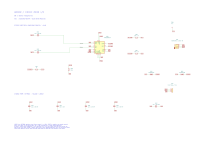
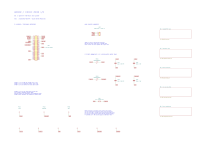
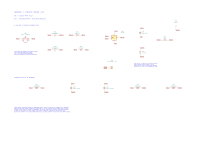
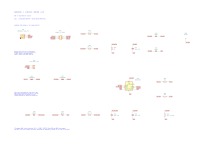
Wah module is coming I swear (actually the module code is committed already), but first I have to first design a PCB that will handle the in/out, buffer, MIDI, expression pedal - that is coming next. I'll put up a kicad project next week I think, but this is where I'll need feedback later on from any of you guys.
 
Last edited:
Hey folks, I kind of did a whammy module, which I believe sounds awesome (I needed for some QOTSA covers). Does anyone of you have a Whammy, to compare? :D
I just pushed the code to main, so the new release will be out shortly!

I attached a sound demo, recorded with my tele
 

Attachments

I have all the parts on hand for a build, I just haven't had the time to put it together yet.

I don't have a Whammy anymore, but I do have the XS-100 which is basically the same thing with some extra bells and whistles.
 
Lots of progress happened:
  • Removed the desktop apps, the device will host the web interface on the local network from now on - easier to use it that way. Windows and MacOS need a code signing certificate for desktop apps and I am not sure I want to pay Apple the tax for them for letting me distribute my free app. This part of the Apple ecosystem kind of makes me mad.
  • Tone3000 integration works better - I had something before with the desktop apps, but was not really working well with the deep links and all - now it is actually usable. You can find it on port 8080. First registration requires device code (on the touchscreen), then lets you create a user account. No HTTPS, so only use it on known secure networks.
  • I played around a bit with complete circuit emulation which led me to a GCB95 wah emulation which I think sounds great and a RAT simulation is also part of the effects block. These two already sound great, I actually used the Rat live now and felt great.
    • I also did a Big Cheese circuit simulator which is currently under testing - feedback is welcomed! Still battling with a higher CPU usage on this so probably not the final version, but usable.
  • I released the Whammy block, this is my new favourite thing, it is awesome.
  • A new Harmonizer block which is similar to the Whammy but not the same, check it out!
  • Beta testing a Tape Saturation block too. This one is a super early one, while setting the parameters sometimes the screen hangs and there might be problems here and there, but I am still working on this, feel free to try it out.
  • Reverb IRs. I put up a separate Asset section for reverbs, you can just upload a reverb impulse response file there, it will show up in the Reverb section.
  • Manager app have been updated to match the design of the pedal, some bugs were fixed too.
  • There were a bunch of UI fixes on the screen UI code, it is much more stable now.
  • I am just starting the testing of the OTA update feature, the GitHub Actions pipeline is set up already, there is a process for building update packages and signing them, so the pedal can check the update package validity.
There were also a lot of bugfixes and improvements here and there, and.. I did two gigs with this version (with the Whammy block) and felt really good under the fingers. I did not even brought out an amp, cause it worked so well in rehearsal. No issues during the gig, which is awesome too.
 
Cloned the repo and got it compiling yesterday. Dug through by boxes of e-junk and found a pi 4B! Ordered the audio interface and display. I will report back after I get my hardware and fire it up.
 
Cloned the repo and got it compiling yesterday. Dug through by boxes of e-junk and found a pi 4B! Ordered the audio interface and display. I will report back after I get my hardware and fire it up.
In the Releases section you can find the compiled image. You can just download it and write it to an SD card with the official Raspberry app or Balena Etcher or something else
 
Back
Top