3D printing folks, tell me about 3D modeling of parts

Harry Klippton

Not Interested
Several years ago, I tried using some CAD software. I struggled with it and found it unintuitive so I jumped off to a different project as I often do.

Is there an easy way to make a model of a part? (Lol I'm sure there isn't) Or any other tips? I don't know jack shit about this stuff but I'm ignorantly curious and occasionally have a need. Thanks for entertaining my stupid question
 
Depends on what part you're looking for. In some cases there are bits that are already available as an STL file on Thingaverse or other sites.
 
The easiest program I've come across for 3D design is probably Tinkercad. It's browser-based and free. It's what I teach to absolute beginners (including children) who have never done any 3D design or 3D printing. It's great for making simple things. The interface is extremely stripped down and covers basic principles pretty well. I design the knobs for my builds in it. I think where it works best is in conjunction with Thingiverse. If you can find a design of something you want/like that someone cooked up with Autocad and you just want to make a couple simple changes, it's a really effective tool.

It becomes absolute dogshit the second you try to do anything marginally complicated. I wanted to print a radiusing block to sand down a fretboard. I couldn't find an obvious way create a curve with a 12" radius. You'd think - make a circle with a 24" diameter and chop it down - but the program wouldn't accept a circle that big with the limited number of facets available (facets being the number of flat surfaces that come together to form the impression of a curve - like drawing a circle out of tiny lines). It can sometimes lose track of measurements and, when you start dealing with shapes like curves, the way it tracks changes to those shapes and allows further manipulation can be extremely confusing.
 
There's a bunch of different styles of 3d cad. Tbh I've never been able to get really deep in one, but it's helpful to know the *type* of 3d modeling a program does in order to determine your workflow.

Though options are limited. Finding the right program for your uses that is in the right price bracket and is easy enough to use can be a PITA. Most CAD is aimed towards industrial outfits that can afford the several hundred dollars a year subscription costs.

Fusion 360 was the last I dipped my toes into. Hopefully their free for personal use version is still available - those offerings are becoming increasingly scarce. The hobbyist space is particularly underserved.
 
Interested in this too. I have an Ender 3 that I haven’t really explored much yet, but I think it has tons of potential for printing models that I can take molds off for metal casting and ceramic slipcasting.
 
I also feel I should mention I don't own a printer and have no interest in acquiring one. I'm solely interested in creating plastic parts that I cannot buy
 
Getting proficient and fast at any new software is a huge timesuck.

Maybe some forum member who’s into 3d printing wants to trade some design labor for a pedal you don’t like…

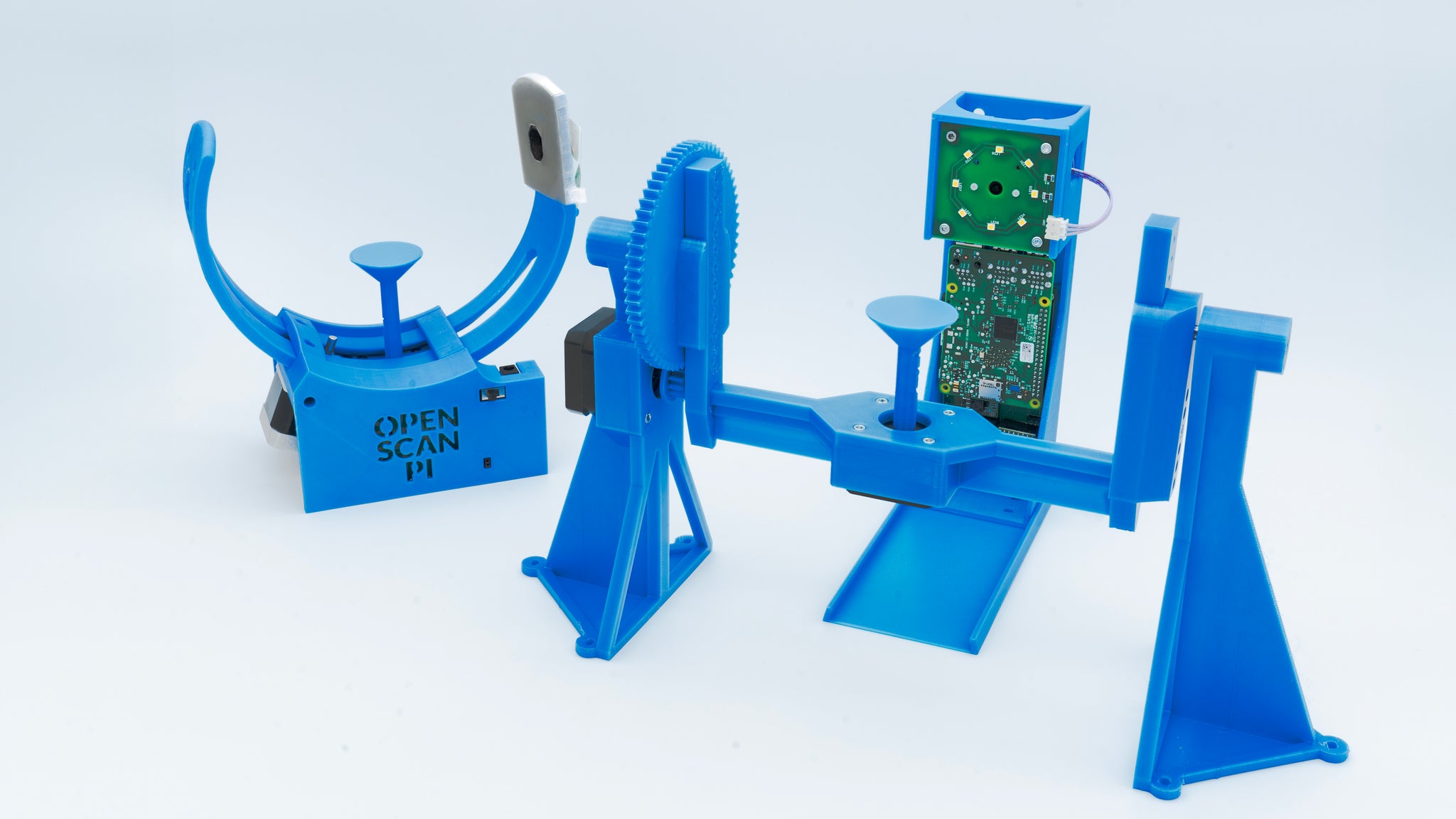
The dream would be to be able to just scan your part and hit print. I don’t know anything about this, but it looks cool:

 
As noted above, sometimes you can find a model made by someone else on Thingiverse, Printables, STLfinder, etc.
Also, McMaster-Carr often provides 3D models for many of their products, so you can import those.

But often you still will need to modify what you find online, which generally means CAD.
(You can do numerical scaling in slicing programs like Cura, without needing CAD.)
I personally use FreeCAD, which is great, but it's not the place to start if you're new to CAD.
You also can get a free 1 year license for Fusion 360, but it's also not for beginners and it has a fairly hefty annual license fee afterwards.
Also noted above, TinkerCAD is the one usually suggested for those new to CAD.

There are many online blogs to help you get started with CAD.
All3DP.com can be a good place to start - articles are very easy to digest (albeit light on details). But it can point you in the right direction for many things - including what software programs do certain tasks, which are best for your needs (including beginners), material choices, plus finding useful blogs for beginner CAD design. It's been many years since I started 3D printing, so I've forgotten the names of most of the various blogs - but some I remember are CNC Kitchen, Toglefritz's Lair, 3D Printerly, etc.

Good luck!

Note added: FreeCAD is freeware https://wiki.freecad.org/Download

 
Last edited:
I have used autocad, tinkercad and blender. They all have their strengths and weaknesses.

autocad is likely the fastest to make precise 3D objects but has a fairly steep learning curve.

Tinkercad is super easy to use and if you are creative can make a lot of things. I have taught kids 7-10 to use it but also have adult co workers who use it.

Blender is probably not the most obvious choice but is my favorite for 3D modeling. It can make things as accurate as autocad but also does an excellent job and making more complex and organic shapes. The learning curve is similar to autocad but there are lots of good resources for it.

All that being said. What part are you trying to make?
 
If you're comfortable writing code, OpenSCAD is a nice counterpart to TinkerCAD. Everything is in a fairly easy code and thus fully changeable/parametric. I reach for TinkerCAD when I need to blast something out quickly, and OpenSCAD when it's gonna take a couple drafts to get it right.
 
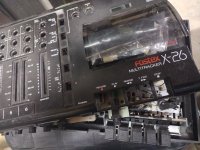
At the moment, the record key from a fostex x-26
I can’t find a picture of one of those out of the machine but from what I can see it looks fairly detailed and like a fair amount of accuracy is needed. I think you would want to use a modeling program that you can import images into. What I do when I make a part like that is put a couple rulers on x and y onto my scanner and then scan cross sections of the part. I then import them into my program and scale them to the rulers and trace them. I often just cut up the old one at any points where there is detail and scan it. I made some latches for pelican cases this way.

I would think you would want to print it with an SLS/SLA printer. You could do it in an FDM but would need a small nozzle for the grooves of the face. It might be hard to make the parts without your own printer as it will likely need a few revisions before it comes out right.

Alternatively they do make 3D scanners https://store.creality.com/products...DMQ2nYXXypiS55VhvwDYSfDhIbA5DamxoCNUoQAvD_BwE but I can’t comment on how well they would work for this.
 
If you have a record key to work from, I wonder if the silicone molding process I see people using for copying knobs might yield a better looking part than a 3D print. No software and no machines required.
 
Back
Top