Bontempo - Tap Tempo for PT2399

rmfx

Active member

Anyone seen this? I've been eyeing it for away, Electric Canary just listed it for sale a few days ago. Looks to be more promising (and cheaper) than the TapTation because you can calibrate the Bontempo, have seen all over the nets that the TT is notoriously imprecise. Modulation and presets, too!

I ordered a couple of them. I have a few Seabed and other PT2399 PCB's around, whenever they arrive I'll give it a go and report back. Looks very cool!
 
The lack of filtering on the power line seems like an oversight. You'd want a 47uf+ to gnd on the 5v line coming out the regulator to remove noise that plagues 2399 circuits.

I'm intrigued about the modulation though.
 
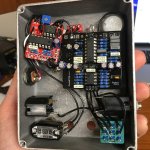
Got a BonTempo assembled with PedalPCB's Seabed Delay. This thing is very cool! Built in subdivisions, modulation, blinky LED. Super accurate timing wise, which seems to be the common complaint about TapTation (and this is a lot cheaper). Highly recommend this little project to anyone looking to "easily" incorporate tap tempo and other cool stuff into their PT2399 builds!

I put the mod depth knob on the exterior with rate on the inside via the trim pot. As with all PT2399s, it gets a little noisy and distorted at really long delay times but most of range sounds quite nice! You can program it to limit at 600ms delay time which I may do.

Calibrating the digital pot took some time, went the extra step and measured time with my DAW so timing is +/- 1% accurate. I used a scrap enclosure so there are also sorts of extra holes and overall messy. Now to find time to get it into a nicer enclosure and recording a quick demo!


IMG_5795.JPG
 
Nice, came across the Bontempo a few days ago but hadn't seen much talk of people who've used it. Gonna maybe get one ordered soon once I've finished the 20 other projects that are on my desk
 
I know I'm dredging up an old thread, but does anyone have recent experience with trying to burn an Attiny84a with Electric Canary's Bontempo code?

It seems that the code is too large for the destination IC. I'm not sure if libraries have been updated and are now too large, but I'm getting 290 bytes of overflow trying to program the Attiny84a. It could be my current setup, I'm running an Arduino as ISP with an Arduino Uno and running ATtinyCore through Arduino IDE v2.3.2.

I'd like to play around with this to see how I like it. Any insight or recommendations are appreciated. Thanks in advance!
 
Do you try to burn just the HEX file or do you compile it yourself? It looks like it was not written in Arduino and maybe it is trying to put Arduino bootloader in there which eats up some space. You could try to turn it off with a "no bootloader setting" in the menu.
I would use just the HEX file and MplabX or whatever IDE is now the official one for Atmel MCUs. You will need a hardware programmer other than Arduino I guess tho.
 
Thanks for the response, @Smrtokvitek.

I didn’t attempt to burn the hex only, I’m compiling the code through Arduino IDE. I’m using AttinyCore which gives me the option of no boot loader so it’s not that. I believe the “official” software now for Atmel is Microchip Studio. Unfortunately, there’s no version for macOS so that adds another challenge. I don’t have a separate hardware programmer atm so I was hoping to be able to do this via Arduino IDE using the UNO as the programmer.
 
If you can program anything using Arduino board as a programmer ie you can get the code in the Attiny84a you might want to try using this thing. There is a binary in the Arduino software that flashes the chip. It is called AVRdude. Find it and run it the same way as Arduino does. If you supply it with a proper path to a precompiled hex file and not the currently built software you might be able to flash it.
But unfortunately, there might be a lot more to do. There is a lot to configure and I don't know the details. I have done things like this before and it is a bit of hacking around to make it work.
 
Last edited:
It is called AVRdude. Find it and run it the same way as Arduino does. If you supply it with a proper path to a precompiled hex file and not the currently built software you might be able to flash it.
Thanks for that. AFAIK, Arduino IDE includes the AVRdude libraries, but flashing through Arduino refused to work. I managed to get it all programmed by installing several libraries through Homebrew and flashing through CLI/Terminal. I haven't tested the chip yet, but it appears to have accepted the HEX file without issue according to the logs. Thanks for the help @Smrtokvitek!
 
Back
Top