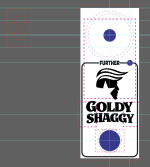
TAYDA Wrong Size UV Printing

PCB

New member
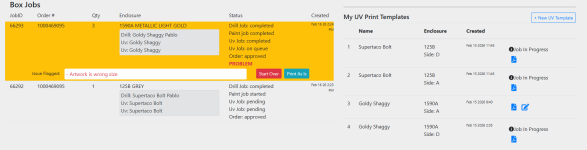
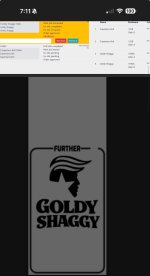
I think is the side A because job is not in progress and I can edit it yet
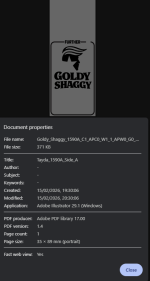
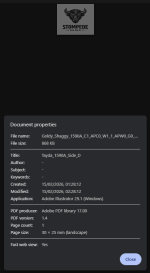
It might be the line on the edge or might be the line not passing through the hole drilling of the LED
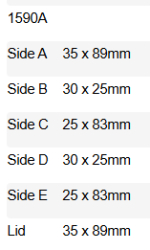
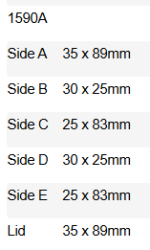
I wrote them because no idea why wrong size, what is the meaning because general sizes I think are matching
Some ideas on your side???


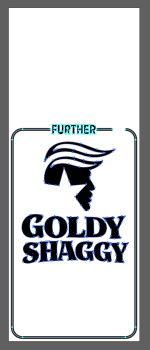
Screenshot 2026-02-18 102252.png Screenshot 2026-02-18 101835.png Screenshot 2026-02-18 101849.png ARTBOARD SIZES.png
 

Attachments

  • ARTBOARD SIZES.png
    ARTBOARD SIZES.png
    7.5 KB · Views: 2
I also think that the blank space above the design is a clue. Make sure you don't have an element that is outside of your artwork boundary somewhere - like something on another layer, etc. Or even if some of the pixels of the text on top are clipping the page boundary, it might push the blank area above. I had this happen in Affinity when I accidentally included some of the template in the export, despite the design being XX x YY, the preview showed white blocks outside of the boundaries of the main artwork.
 
  • Like
Reactions: PCB
It is a 1590A enclosure with a big button up this is why about the blanc part, this is a template for messurementand I have even split files to not mess anything aldo I didi a select all command and zoom out max but nothing looks out of the bounds, let´s see if they get back to me wit some explanation 🙌 thanks for your comments

Screenshot 2026-02-18 165539.png Screenshot 2026-02-18 165655.png Screenshot 2026-02-18 165250.png
 
Same thing... anything outside the artboard, messures ok, not sure, and coming from the Box Jobs the A is the only one not in progress and not in queue but again not sure...

1771432779041.png
 
  • Like
Reactions: Nic
Back
Top