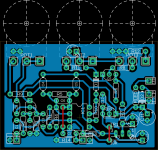
PCB design challenge #1

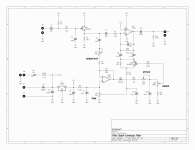
I have a question about the Vcc and Vref points on the schematic.

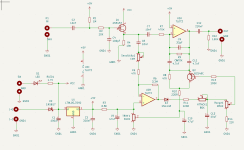
There are 3 Vcc and 2 Vref locations- should they all be connected somehow? Or is it up to our discretion? And the grounds- how do you take the ground symbols and connect them? I see how they connect to each component, but then how do you get them off-board?
 
There are 3 Vcc and 2 Vref locations- should they all be connected somehow? Or is it up to our discretion?
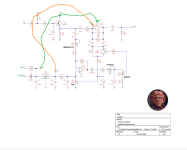
The designations Vref, Vcc, etc. are often used to simplify the schematic, to reduce the number of "wires" in the schematic. Points with the same name are connected to each other. If, for example, in Eagle, you use the Vr designation, then in the PCB editor, all Vr will be connected using yellow airwires.

1673035155224.png

And the grounds- how do you take the ground symbols and connect them? I see how they connect to each component, but then how do you get them off-board?
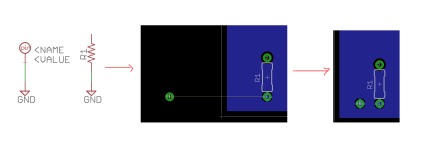
You can use a single solderpad and connect it to GND.

1673035927696.png
 
I had to set mine aside, but I'm back on it now as I've finally got some time — I don't want to see anybody else's 'til I'm done... so ... later.
 
I couldn’t get mine to work 🙃 so I’ll be watching! I must’ve read the rules incorrectly I thought you had to have a board presentable as well!
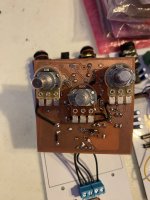
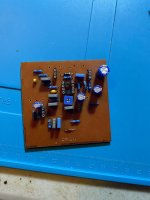
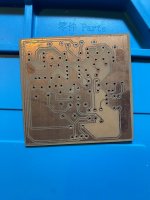
I still want to submit something this is far as i got and the board did not work!

IMG-1186.jpg
IMG-1183.jpg

IMG-1182.jpg

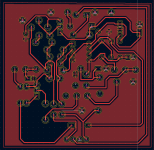
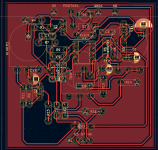
What an experience this was! Im glad to have participated, I learned so much! I ended up using KiCAD as my program of choice. The toner transfer was successful but the board itself does not work! I ended up having to use 5 jumpers.

Screenshot_20230112_095515.png

Screenshot_20230112_095551.png

Screenshot_20230112_095618.png


Im going to take everything i learned here and move onto Buddys contest! Thank you @temol for making the contest but sorry to present you an incomplete piece of work that is not in pdf. format. I have a new found respect for everyone here making these circuits! Thanks for reading!
 
Last edited:
I've enjoyed doing layouts in Eagle in the past, with very few boards actually making their way onto production. I've always done layouts with double-layer boards in mind, so doing this in a single layer was a welcomed challenge and was actually pretty fun!

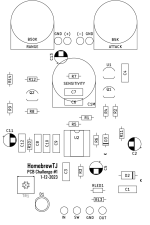
Designed to fit PedalPCB 3-knob 125B pre-drilled Tayda enclosure. This should also be fully compatible with PedalPCB's 3pdt breakout board.
1673639044652.png
1673639134726.png
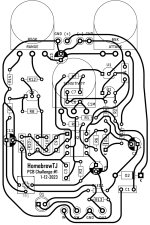
I've attached a PDF containing my attempt at this challenge. Thanks for the chance to participate!

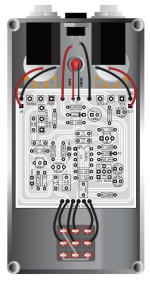
EDIT: Since posting, I've noticed a couple errors in my document. I'm hopeful that this edit (on 1/13/23 is the last one I have to make). Edits include correcting part value error(s) *two found* and adjusting R8 to @Chuck D. Bones latest recommendation (in post #60). Attached PDF has high resolution transfer image as well as schematic, drill template, and wiring guide.
 

Attachments

Last edited:
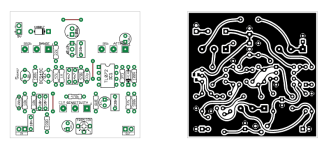
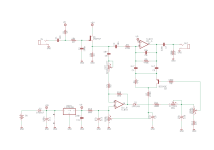
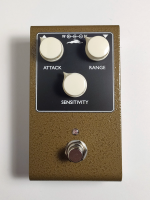
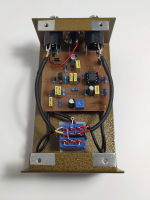
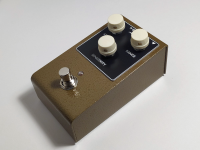
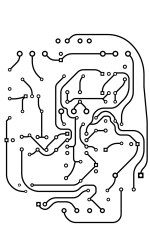
I tried to give my board a vintage look, with a bit of modernity - you can use a JFET in a TO92 or SOT23 package. PCB tested, works without problems. I didn't put the LED and LED resistor on the board, you can connect the LED directly to the DC jack. You can use PPCB 3-knob template with a slight modification - LED hole. Or you can try to fit the LED under the board and use standard 3-knob template. Top or side mounted jacks can be used with the 125 type enclosure.
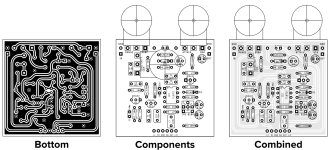
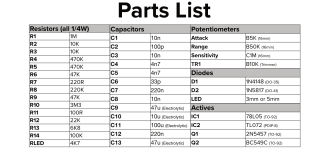
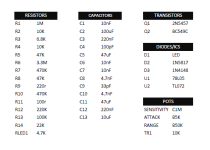
Build doc contains all the necessary info - layout, schematic, board image (ready for toner transfer), two drilling templates (125B and Gainta BS13 enclosure), BOM, wiring diagram. Templates and PCB image are 1:1 scale.
Each drilling template contains faceplate outline, but you shoud check the outline with your enclosure.

PCB
1673560875492.png
Schematic
1673561367780.png

1673560906035.png 1673560935876.png

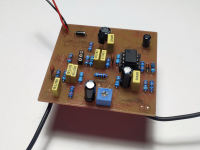
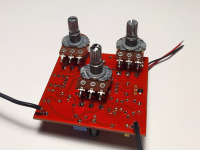
And finished pedal.

1673561124057.png 1673561163814.png 1673561189281.png
 

Attachments

Last edited:
I'm working on the BOM and wiring diagram now. Work has been craaaaaazy.... wish I had more time.
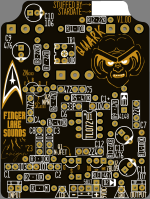
EDIT - Added the files for etching plus the schematic and a very crude drill guide for the pots which is just the document layer. Everybody's layouts look great but the build guides from all of you are fantastic. I need to up my game there apparently...lol. I just had this sent to the fab house on Tuesday so should have one to test out by next week sometime. This was definitely a fun one though.
LAST EDIT - Combined all of the files into one... night yall....
I think I have the pinout wrong on the 78L05. should be OUT/GND/IN with flat side facing you. I'll fix it later when I get back home from work.
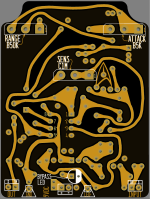
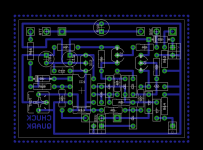
QUARK - V1.00 (BLK) - 3DPCB - TOP (COMPONENT).png QUARK - V1.00 (BLK) - 3DPCB - BOTTOM (SOLDER).png
 

Attachments

Last edited:
I couldn’t get mine to work 🙃 so I’ll be watching! I must’ve read the rules incorrectly I thought you had to have a board presentable as well!
I still want to submit something this is far as i got and the board did not work!

View attachment 40070
View attachment 40071

View attachment 40073

What an experience this was! Im glad to have participated, I learned so much! I ended up using KiCAD as my program of choice. The toner transfer was successful but the board itself does not work! I ended up having to use 5 jumpers.

View attachment 40074

View attachment 40075

View attachment 40076


Im going to take everything i learned here and move onto Buddys contest! Thank you @temol for making the contest but sorry to present you an incomplete piece of work that is not in pdf. format. I have a new found respect for everyone here making these circuits! Thanks for reading!
IC power (pin 8) going to VCC. Not 5V.
Fix that, and you get working. Nice toner transfer btw. And if your first try on kicad, that awesome!
 
IC power (pin 8) going to VCC. Not 5V.
Fix that, and you get working. Nice toner transfer btw. And if your first try on kicad, that awesome!
Thank you so much! Im going to take a look at that right now! Its my first time with KiCAD and my 2nd time doing a toner transfer! So I need to connect Pin 8 of IC to a trace that is VCC! Man i completely messed that up! Very good eye man! Going to see if i can break that trace and create a jumper to VCC! If not ill just try and do it again before the contest ends!
 
Back
Top