
You are using an out of date browser. It may not display this or other websites correctly.
You should upgrade or use an alternative browser.
You should upgrade or use an alternative browser.
Tayda UV Printing
- Thread starter dmnCrawler
- Start date

Bricksnbeatles
Member known well
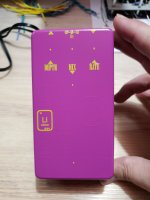
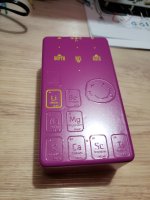
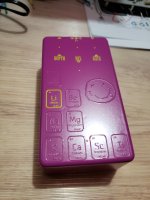
Sneaky! I love itBeen waiting for that one, simple design
View attachment 51851
Hidden secrets...
View attachment 51853

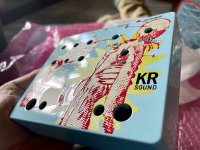
KR Sound
Well-known member
Here's a tip for everyone. Make sure all your layers are visible when you submit the file.
I must have turned the gloss layer off before I created a pdf in Illustrator. Even though the layer was in the project, their system showed an error when I had paid for gloss but it showed no gloss layer.
I was able to upload a new file in the Dashboard and resubmit it.
Here's what the order said in the dashboard:

Hugo showed me what they saw:

I clicked 'Start Over' and was able to re-upload the new file.
I must have turned the gloss layer off before I created a pdf in Illustrator. Even though the layer was in the project, their system showed an error when I had paid for gloss but it showed no gloss layer.
I was able to upload a new file in the Dashboard and resubmit it.
Here's what the order said in the dashboard:
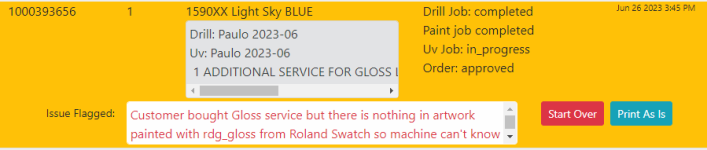
Hugo showed me what they saw:
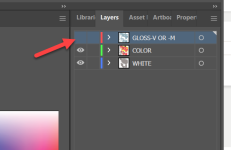
I clicked 'Start Over' and was able to re-upload the new file.


Silver Blues
Well-known member
Looking for some opinions here - if I wanted to do a ghosted graphic on a matte black sand enclosure, would it look better to do black ink and gloss or should I just do gloss? I had planned on the latter but now I'm second-guessing.
Bricksnbeatles
Member known well
I did it with rich black (60/40/40/100 iirc) and gloss, and it came out perfect. No white layer, or course.Looking for some opinions here - if I wanted to do a ghosted graphic on a matte black sand enclosure, would it look better to do black ink and gloss or should I just do gloss? I had planned on the latter but now I'm second-guessing.

Rpschultz13
Well-known member
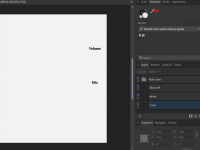
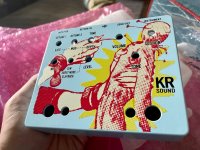
Hi, new to UV printing. I have an Inkscape design, but when I import it into Affinity, my graphic gets lost or at least I can't see it. Any ideas? Inkscape shows it as a pattern. I've been following pachyderm pedals tutorial. Pedal is MasEffects Mimir'sWell (FV-1)

In Affinity:

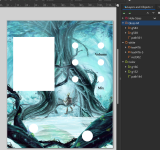
In Affinity:

giovanni
Well-known member
I got some help from @Brett with stuff like this. One thing to consider is to do all of it in AD rather than Inkscape. If you want to stick with Inkscape I have noticed that certain shapes do not translate to AD. Maybe converting to a different object would help (for example convert a rectangle to path or text to path). Not sure what’s going on with your graphics though.Hi, new to UV printing. I have an Inkscape design, but when I import it into Affinity, my graphic gets lost or at least I can't see it. Any ideas? Inkscape shows it as a pattern. I've been following pachyderm pedals tutorial. Pedal is MasEffects Mimir'sWell (FV-1)
View attachment 52273
In Affinity:
View attachment 52274

derevaun
Well-known member
Is the large graphic traced to vectors? I think people have gotten away with bitmap images here, so it may be OK. But if the image is linked into Inkscape, that link must not have made it to Affinity.Hi, new to UV printing. I have an Inkscape design, but when I import it into Affinity, my graphic gets lost or at least I can't see it. Any ideas? Inkscape shows it as a pattern. I've been following pachyderm pedals tutorial. Pedal is MasEffects Mimir'sWell (FV-1)
I'd just trace the graphic, make sure all the text is converted to outlines, and merge all the vectors into a single object, so there are no overlapping paths. That seems easier in Inkscape, but I haven't used Affinity so I dunno about that.
Rpschultz13
Well-known member
Thanks for the advice. I have tried to start from scratch in AD, so far it seems better than Inkscape, but I'm a rookie so it will take me some time to figure out all this stuff. At this point, I'm not sure what the advantage of Inkscape is if you ultimately have to use AD?
KR Sound
Well-known member
I do like Inkscape’s vector tracing tool better than AD or Illustrator’s. It just seems to do a better job at detail.Thanks for the advice. I have tried to start from scratch in AD, so far it seems better than Inkscape, but I'm a rookie so it will take me some time to figure out all this stuff. At this point, I'm not sure what the advantage of Inkscape is if you ultimately have to use AD?
giovanni
Well-known member
As a main software I would use AD (or Illustrator but that’s a lot of $$$) since it’s been proven to work with Tayda. Inkscape is great and if you’re very familiar with it I can see how it may be easier to go through the pain of using two different softwares rather than one. I use it for laser cut faceplates because that’s the recommended software for our setup with the laser cutter. But the next time I need to make a UV print design I’ll probably start directly in AD.Thanks for the advice. I have tried to start from scratch in AD, so far it seems better than Inkscape, but I'm a rookie so it will take me some time to figure out all this stuff. At this point, I'm not sure what the advantage of Inkscape is if you ultimately have to use AD?
Rpschultz13
Well-known member
So is there a tutorial or something to help a rookie like me create the tayda file correctly using only AD? My stuff is pretty simple, a graphic and some text. But a lot of these terms are foreign to me... any help would be appreciated. I do have the tayda templates that has the 3 layers, so that's a start.

Passinwind
Well-known member
Affinity is running a 25% off sale on everything right now, FWIW.
Rpschultz13
Well-known member
Once you import Roland swatch to your system, we want you to paint everything in your white layer or everything that needs to be printed in white color, paint it with "RDG_WHITE" instead of white color, when you do this, things that you painted will look GREYISH color but don't worry, it will all be printed in white color, In UV printing world this is the only way to tell machine use white ink while printing, you need to use this "RDG_WHITE" ink / paint color instead of white. So all white work must be painted with RDG_WHITE instead of WHITE in Adobe.
So back on page 1, how do I change white to RDG_WHITE? I have the swatches installed. My graphic in post #1179 has lots of different colors, how would I only change the pure white to RDG_WHITE? Sorry, I'm new to all this.
Bricksnbeatles
Member known well
Do you have all the white in its own layer yet? If so, just apply the swatch to that layer. Otherwise select one of the white objects, then go to select>same>fill and move that selection to its own layer, and then apply the swatch to that layerSo back on page 1, how do I change white to RDG_WHITE? I have the swatches installed. My graphic in post #1179 has lots of different colors, how would I only change the pure white to RDG_WHITE? Sorry, I'm new to all this.

SYLV9ST9R
Well-known member
Do you have all the white in its own layer yet? If so, just apply the swatch to that layer. Otherwise select one of the white objects, then go to select>same>fill and move that selection to its own layer, and then apply the swatch to that layer
What @Bricksnbeatles said!So back on page 1, how do I change white to RDG_WHITE? I have the swatches installed. My graphic in post #1179 has lots of different colors, how would I only change the pure white to RDG_WHITE? Sorry, I'm new to all this.
derevaun
Well-known member
What I do: finish the color layer, make sure it's all vectors with no strokes, then carefully merge to prevent overlapping objects. Copy everything on the color layer, switch to the white layer, and paste in place. Select it all and change the fill to RDG_WHITE.
That way, everything in color will be printed on a matching layer of white. I assume that white objects on the color layer are printed like they are on paper: no ink at all, letting the white show through 100%.
The instructions from Tayda make it easy to infer that they might print with RDG_WHITE on the color layer, which seems like a weird way to do process color. But maybe, I dunno, haven't tried that.
That way, everything in color will be printed on a matching layer of white. I assume that white objects on the color layer are printed like they are on paper: no ink at all, letting the white show through 100%.
The instructions from Tayda make it easy to infer that they might print with RDG_WHITE on the color layer, which seems like a weird way to do process color. But maybe, I dunno, haven't tried that.
Rpschultz13
Well-known member
OK, I figured out how to convert my jpg to svg using an online converter. Any text over the image is already vector, right? In AD, do I group the svg and text?