Feral Feline
Well-known member
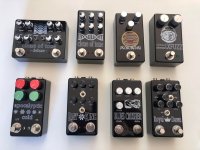
The "Holy Shhh", wish I'd thought of that — looks great!



so sort of like the way MAS effects does with the graphics for their tiny fuzz pedal?Just to clarify, I wasn't suggesting charging the builder a commission or fee for using the artwork... (no, we discussed the ridiculousness of that business model in another thread just the other day)...
I was suggesting that I would pay the artist for the right to use the artwork.
There would be no additional charge to the builder outside of standard printing costs. This would also not necessarily be exclusive to PedalPCB builds. Although I probably won't be able to do fully custom enclosures immediately, I'd have no problem with some pre-fab templates / artwork for pretty much any vendor.
Pretty much he commissioned artwork from different artists he knows, and make them available as different graphic options for his fuzz pedals. You pick the artwork you want, and it says who designed it and links to their usernameI'm not familiar with it?
Basically, similar to how you choose a pre-fab drill template from Tayda you could do the same thing with some pre-fab open source artwork.
Or in a more basic iteration, there might be some pre-coated / printed enclosures available in batches... at least to get started.
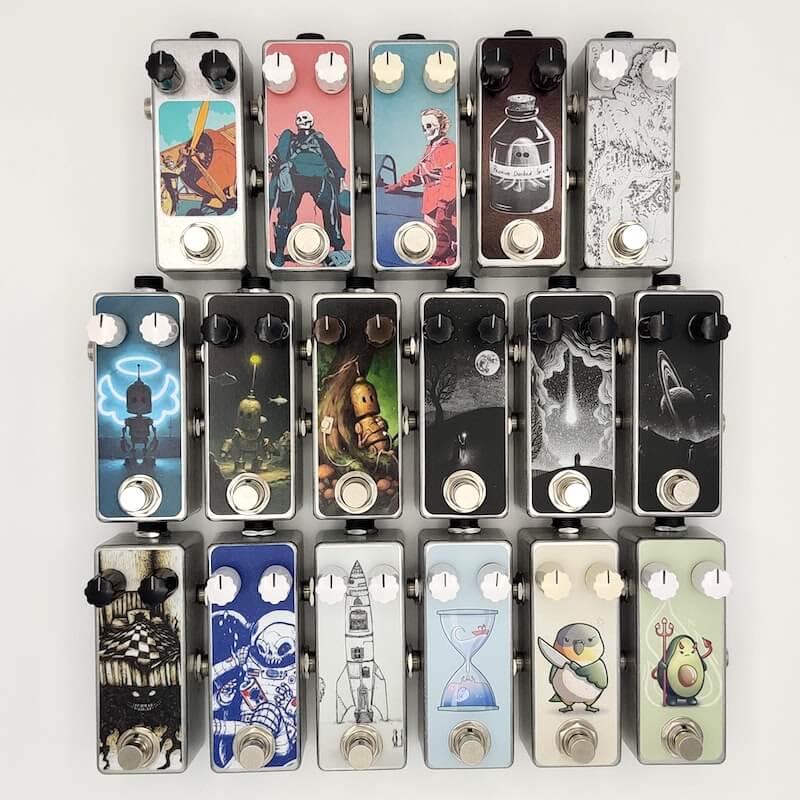
 mas-effects.com


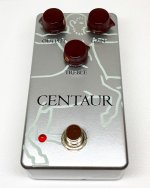
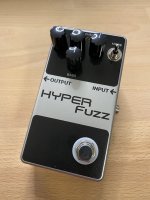
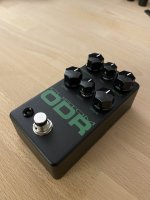
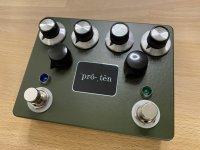

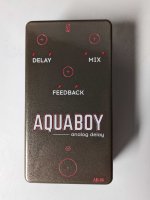
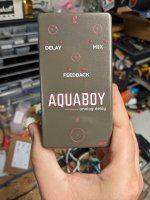

A sharp bit and slow speed. I’ve never had any problems with chipping on anything I’ve drilled except the matte grey from Tayda.This might be kind of a stupid question but I was wondering about it every time I saw painted enclosures without holes. How do you drill in the painted enclosure to not chip the paint or damage it by securing it before drilling? Masking tape? Isn't it easier to get it drilled by Tayda?

Isn't it easier to get it drilled by Tayda?

100% agree. I have tayda drill 95% of the stuff I make because it saves me so much time measuring and the mess of drilling. If you want a pedalpcb layout it's really affordable to get pre drilled as well as they will print on the pre-drilled pedalpcb ones all the same.It's definitely easier to get it drilled by Tayda. If you can afford the extra charge and you're certain your drill template is good, it's well worth the time savings.
How did you get the red and black strokes on the text? Illustrator?Ordered my first UV print on Sunday and it arrived today. Really happy with the way it turned out. Thanks for everyone who has posted in this thread. Tons of useful information and inspiration. Need to go back through it and write up a summary or something. Another time maybe time to drill and box this one up.
Here are some pictures. Brown sugar powder coat, double white and gloss topcoat. The brown sugar shifts from brown to grayish. Really hard to capture.
View attachment 30958View attachment 30959

How do you keep your step bits sharp?I've had brittle powder coating on gloss and matte colors. I find out if it's brittle when use use my punch. If it is chipping I will use painters tape after my pilot holes to drill the final hole with the step bit. I keep my step bits sharpened to avoid chip out but every once in a while it will happen.
I did it in Inkscape actually but should be able to do something similar in Illustrator. There are a few different ways to accomplish a double outline. For this one I used the offset path method. It’s under path effects in Inkscape. It basically creates a duplicate of the original but offset by however much you want. At that point you have two paths that can have their own fill and stroke colors. Really can help things pop.How did you get the red and black strokes on the text? Illustrator?
Awesome job!I did it in Inkscape actually but should be able to do something similar in Illustrator. There are a few different ways to accomplish a double outline. For this one I used the offset path method. It’s under path effects in Inkscape. It basically creates a duplicate of the original but offset by however much you want. At that point you have two paths that can have their own fill and stroke colors. Really can help things pop.


Yep everything white on bottom, pink & black on the color layer and top gloss layer. Tried a few different paths to the final pdf. I ended up finding an old copy of illustrator from when the wife was in college, creative suite 5. Feels so old even compared to Inkscape. So just created the pdf from Inkscape with only the color layer and then modified the pdf with Illustrator for the rest.Awesome job!
Am I seeing a color and a gloss layers?
Which method did you use to convert to pdf?