Danbieranowski
Well-known member
I have no idea what that means but great! LolDepending on how complicated the color overlaps are, you should be able to eliminate overlap of curves with boolean operators.

I have no idea what that means but great! LolDepending on how complicated the color overlaps are, you should be able to eliminate overlap of curves with boolean operators.
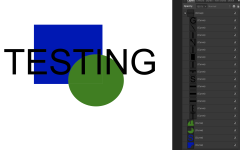
In Affinity Designer, it is called "Subtract" -- LAYER/GEOMETRY/SUBTRACT. You are subtracting, cutting out, the top curve path from the bottom curve path. Once you do, you'll end up with a modified curve path on the bottom. The top is still retained so you will need to hide it or delete it to see the results. Hope this helps.Yes and no. If you are using colors, but there are overlapping colors, you could end up with a messed up print (colors combining in areas of overlap). We have to figure out if it is possible in Affinity to remove overlapping colors. It looks like in Adobe Illustrator this is called "Merge", although I don't have AI so I can't confirm how this is done there. I've had files with overlapping colors without issues (see the X Files print earlier in this thread), but based on Hugo's response I'm guessing the Tayda team opened them in AI and did the Merge on their side to clean it up for print.
If you are using single colors (IE: white base layer and single color print on a black enclosure) we should be in business.
I have no idea what that means but great! Lol
 forum.affinity.serif.com




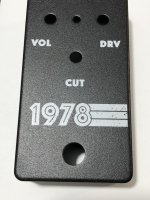
I just got a black matte sand with white print, and id does look like a bit of a grayish hue if I compare it to the white print on black matte I did earlier. So yes, I think the double pass would be a good option, if it equals super crisp white.I’m really happy with the white level on my first enclosure and think it’s crisp but I still might try the second white pass down the road. About to order another exactly the same to give away to a friend.

I just got a black matte sand with white print, and id does look like a bit of a grayish hue if I compare it to the white print on black matte I did earlier. So yes, I think the double pass would be a good option, if it equals super crisp white.
Edit: that said, it still looks very good and more on the white that the gray side.
Here it is, I had forgot to mention that there is a matte gloss coat over it. Design from one of my first build, decided to try the Informant once again to decide between it and the Muroidea.can you post a pic when you have time?

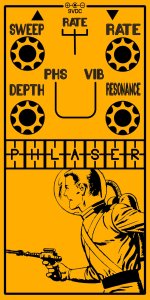
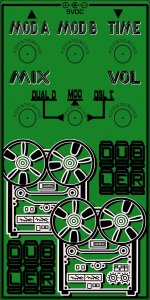

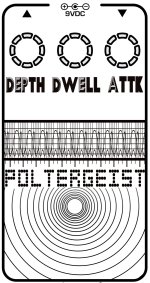
If you just have white, it's pretty straightforward. You would put all your design in one layer ("WHITE").I would sooooo love to order black matte enclosures with white printing from Tayda....but I'm just too stupid to understand the layer things

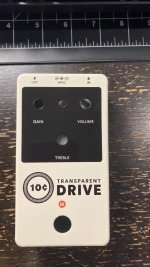
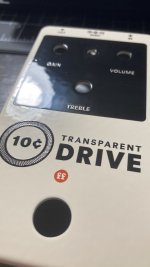
That looks fantastic! I haven't experimented with any gloss over the top yet, as I like matte finishes, but this does look real good.A couple came in the mail recently. Will edit if I can snag decent pictures of the second.
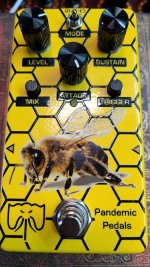
This is a cream enclosure with a gloss varnish on everything. I shouldn't have varnished the large black space, I don't like the effect it has on the text there. The gloss varnish is suuuper cool on transparent line-art and is definitely gonna be something I play around more with. The print streaked a bit on the large solid black space but is a little less noticeable in person but I'll probably steer away from large solid fills in the future.
View attachment 10411View attachment 10412
as I like matte finishes,
Yeah the gloss makes the colors pop for sure. I think it provides a lot of extra protection for the art as well.That's an awesome print, matches the vibe of the pedal so well. Creepy shit all around.
I generally prefer matte finishes too but after seeing how glossy tayda's matte black (the regular version, not the sand) I figured I'd just lean into it. The other one I got is a similar simple design on a black glossy enclosure w/ a matte varnish layer and the matte layer really dulled the colors out
Wanted to try the emboss on a similar black block (acting as a fake metal plate) as @finebyfine's design, but forgot to add the gloss extra to my orderYeah the gloss makes the colors pop for sure. I think it provides a lot of extra protection for the art as well.
It does seem to add a layer of protection which would have been good. Well, next time...
Wanted to try the emboss on a similar black block (acting as a fake metal plate) as @finebyfine's design, but forgot to add the gloss extra to my order