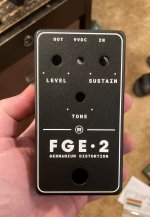
Tayda UV Printing

Just wanted to throw this out there in hopes of saving someone the hassle next time around. My image resized itself when moved from inkscape to affinity. Despite the tutorial and the website instructions to insure proper size, I faled. For beginners like me, you can find the dimensions and color info in the document setup tab under file. I will also mention that the CYMK did not transfer over and they defaulted to RGB in Affinity. so I had to change that. At this point I should mention I used my own template.

Hugo reached out and let me know, which I thought was incredibly awesome despite the warning all over the place. I've been a customer of Tayda for a long time and they have never let me down.

I am now nervous that there is going to be an issue as it appears when translated from affinity to PDF there was a .1mm resize difference as in (62.1mm x 117mm.) Not sure why that happened but I checked against the 6 knob tayda template on here and it did the same. Hopefully it wont be a deal breaker and get nixed from printing. :(

I appreciate all the info and time people have put into this thread! THANKS!!

Ran into this issue, too on pg 13, after resizing, thanks many of horror!:

Many__Of__Horror said:


Is there a good resource for Exporting Layers correctly in Affinity Designer? The first design I did and exported to .PDF keep the layer heirachy, my second design however no matter which export profile I try keeps throwing the other two layer (Colour & Gloss-V) into the White Layer...Headscratching
I think I've figured out what the issue is when exporting layers....
 
Last edited:
Just wanted to throw this out there in hopes of saving someone the hassle next time around. My image resized itself when moved from inkscape to affinity. Despite the tutorial and the website instructions to insure proper size, I faled. For beginners like me, you can find the dimensions and color info in the document setup tab under file. I will also mention that the CYMK did not transfer over and they defaulted to RGB in Affinity. so I had to change that. At this point I should mention I used my own template.

Hugo reached out and let me know, which I thought was incredibly awesome despite the warning all over the place. I've been a customer of Tayda for a long time and they have never let me down.

I am now nervous that there is going to be an issue as it appears when translated from affinity to PDF there was a .1mm resize difference as in (62.1mm x 117mm.) Not sure why that happened but I checked against the 6 knob tayda template on here and it did the same. Hopefully it wont be a deal breaker and get nixed from printing. :(

I appreciate all the info and time people have put into this thread! THANKS!!

Ran into this issue, too on pg 13, after resizing, thanks many of horror!:


I think I've figured out what the issue is when exporting layers....
I will work on updating the tutorial this weekend. You do need to check the color and the size in infinity when you move anything over. I think I will actually separate the tutorial into two. Since it is the Affinity designer part that is most important to get good results from Tayda. I myself am still trying to get my white layer correct.
 
You're the man! I followed your tutorials but didn't use the template because I am using a non pedalpcb board. I've used photoshop for ever and didn't know what vector even was. I did a jpeg from photoshop into inkscape. Then did the bitmap to create vector. Getting the background to be transparent threw me for a loop. Got that figured out and then I learned how to do the font stuff. I *think* I have it figured out, but guess I'll wait to see the end result.
 
Printing turn around is starting to pick back up to pre-water festival times. Just got a few shipment notifications for orders placed last week
 
First enclosure with two passes of white (without a color pass) came today. Two passes of white, no color, gloss varnish on matte black sand. Not sure if I was able to capture it in the photo but this is the first time I've printed white on a dark enclosure from Tayda where my reaction was "yep, that's exactly how it should be." I won't be ordering on matte black sand any other way from now on. Absolutely pops.

aIMG_5968(3) (Large).jpg
 
I ran into this issue recently. I was under the assumption that I affinity designer would work without issue. I learned how to use it and liked it a lot. Did my first design to try out the tayda printing service and ran into so many issues with the pdf export. Like others the size would change by .1mm, the layers would compress into 1 unnamed layer and all the roland swatches were not all correct anymore. After talking with @Danbieranowski he only uses the color layer with affinity. Hugo sent me an email that it needs to be fixed and I spent more time troubleshooting and downloading illustrator to fix it than I did making the graphic. Illustrator may be the one to use in the future for me. I only see myself using the printing service for certain builds but I'm gonna stick to my no film, especially with Al the reports of people having issues lately with print quality. I hope my first order turns out good, fingers crossed!
So I may have found out how to avoid the .1mm. I had two of the same images one in color one in black. The black exported same measurements. Color was off by 1mm. Went down to pixel and what do you know, black was smaller than color. Adjusted color exported to pdf and no more .1mm issue. Next question. When loading back into affinity in PDF format i have the separate layers, but should the separate layers have the Roland swatches depressed? I mean they still have that grayish color but the button is no longer depressed when reloaded in pdf.

I have attached my file if anyone with illustrator wants to give it a glance. Thanks!
 

Attachments

Last edited:
Man, I'd totally use illustrator if I had it. It appears Dan and Cooder have had good results with AD. I've got to be missing something outside of the tutorial if they are getting good results. PM time! :) BTW, winter, I'm Destro over at MB. I don't post often but see both you and Cooder's build reports all the time. Good stuff!
 
So I may have found out how to avoid the .1mm. I had two of the same images one in color one in black. The black exported same measurements. Color was off by 1mm. Went down to pixel and what do you know, black was smaller than color. Adjusted color exported to pdf and no more .1mm issue. Next question. When loading back into affinity in PDF format i have the separate layers, but should the separate layers have the Roland swatches depressed? I mean they still have that grayish color but the button is no longer depressed when reloaded in pdf.

I have attached my file if anyone with illustrator wants to give it a glance. Thanks!
If they are spot colors of the correct value they should show up when you choose an item on the white or gloss layer. I have checked in Affinity and Illustrator and they are there. It is just in Illustrator it shows as one layer. I have not gotten it totally right yet but I think I may be there. Sending out next order this weekend.
 
Well, I got a shipment notice so I guess the .1mm wasn't a deal breaker. Regardless, I will be checking down to pixel in future. Also, Cooder graciously sent me one of his AD files and when I exported the buttons weren't depressed on the Roland swatches either, so I am hoping since his turned out well, mine will too. Guess I will know for sure nexy week. dmnCrawler, I am wondering if you are having the one layer issue due to an item being outside of the 62x117mm area. Mine all got put in one layer until I found the culprit by clicking along the border and then resizing within .1 mm or so. After that my layers separated. Will post my pics this upcoming week.
 
Well, I got a shipment notice so I guess the .1mm wasn't a deal breaker. Regardless, I will be checking down to pixel in future. Also, Cooder graciously sent me one of his AD files and when I exported the buttons weren't depressed on the Roland swatches either, so I am hoping since his turned out well, mine will too. Guess I will know for sure nexy week. dmnCrawler, I am wondering if you are having the one layer issue due to an item being outside of the 62x117mm area. Mine all got put in one layer until I found the culprit by clicking along the border and then resizing within .1 mm or so. After that my layers separated. Will post my pics this upcoming week.
Did you check that your layers were separate in Illustrator as well? When @dmnCrawler and I did our screenshare test, we were able to created PDFs that retained the layers when opened in Affinity, but once we opened them in Illustrator they did not retain their layers.
 
Has anyone gotten printing on a Ball Silver powder coated enclosure yet? Wondering what that looks like and if it needs two layers of white
 
Did you check that your layers were separate in Illustrator as well? When @dmnCrawler and I did our screenshare test, we were able to created PDFs that retained the layers when opened in Affinity, but once we opened them in Illustrator they did not retain their layers.
No. If I had illustrator I wouldn't have bothered with Affinity. I found an old 30 day trial of cs4. Loaded it up. Neither my exported pdf or cooder's that he sent me which he also did in Affinity separated out layers in CS4. :(
 
Has anyone gotten printing on a Ball Silver powder coated enclosure yet? Wondering what that looks like and if it needs two layers of white

Ball Silver looks real nice (see below). I don't necessarily know if you'd need two layers, because it's kind of like a faux-polished silver/grey (nice and reflect-y), but I'd do it just to be safe (and since it's not expensive to add on).

IMG_0470.jpg


IMG_0471.jpg
 
No. If I had illustrator I wouldn't have bothered with Affinity. I found an old 30 day trial of cs4. Loaded it up. Neither my exported pdf or cooder's that he sent me which he also did in Affinity separated out layers in CS4. :(
I feel your pain there. I'm having trouble justifying it even with a student discount. I've created a Feedback thread on the Affinity Support boards mentioning the issues with this PDF export feature and what I'd like to see added as an enhancement to the product if possible. We'll see if I ever get a response or if that goes anywhere.
 
Did you have layers (white/color/gloss) in the exported pdf files when you view the pdf with adobe acrobat reader?
I have used Inkscape, created layers there, and then opened design in Affinity (layers present there) to set to CMYK and do the Roland swatches, then sved and exported to pdf. Opening pdf in Acrobat reader shows layers.
That worked for me if that's any help, I got the first designs back from Tayda and they look great.
If I can help any more let me know, not sure what went astray there for you, just my two cents.
I felt like that was worth mentioning again. I missed it when Cooder mentioned earlier. Both his an my Affinity PDF exports show split layers in Adobe Reader but not in illustrator. I think somewhere in the thread it was mentioned that we don't know precisely what program is used to determine this, but judging by Cooder's results if it shows in Adobe Reader it will print separate. Here are the instructions for Reader to see the layers.

Show or hide layers
  1. Choose View > Show/Hide > Navigation Panes > Layers.
  2. To hide a layer, click the eye icon. To show a hidden layer, click the empty box. ...
  3. From the options menu , choose one of the following: List Layers For All Pages.
 
When I looked at the original file I sent to tayda it had separate layers in acrobat reader, but the same file didn't in illustrator. I had to do all the fixing in illustrator.
Right. My experience, too. Looks like Dan is addressing it in an Affinity forum (very cool!) but in the meantime, it appears that it is not a deal breaker if it does not show the layers split in Illustrator. At least according to Cooder's experience and I didn't get an email from Hugo stating it was an issue. Did you? OR did you have an enclosure come out wrong?
 
Back
Top