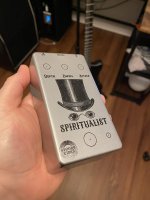
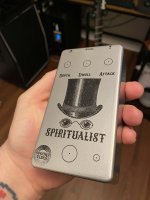
Just wanted to throw this out there in hopes of saving someone the hassle next time around. My image resized itself when moved from inkscape to affinity. Despite the tutorial and the website instructions to insure proper size, I faled. For beginners like me, you can find the dimensions and color info in the document setup tab under file. I will also mention that the CYMK did not transfer over and they defaulted to RGB in Affinity. so I had to change that. At this point I should mention I used my own template.
Hugo reached out and let me know, which I thought was incredibly awesome despite the warning all over the place. I've been a customer of Tayda for a long time and they have never let me down.
I am now nervous that there is going to be an issue as it appears when translated from affinity to PDF there was a .1mm resize difference as in (62.1mm x 117mm.) Not sure why that happened but I checked against the 6 knob tayda template on here and it did the same. Hopefully it wont be a deal breaker and get nixed from printing.
I appreciate all the info and time people have put into this thread! THANKS!!
Ran into this issue, too on pg 13, after resizing, thanks many of horror!:
Hugo reached out and let me know, which I thought was incredibly awesome despite the warning all over the place. I've been a customer of Tayda for a long time and they have never let me down.
I am now nervous that there is going to be an issue as it appears when translated from affinity to PDF there was a .1mm resize difference as in (62.1mm x 117mm.) Not sure why that happened but I checked against the 6 knob tayda template on here and it did the same. Hopefully it wont be a deal breaker and get nixed from printing.
I appreciate all the info and time people have put into this thread! THANKS!!
Ran into this issue, too on pg 13, after resizing, thanks many of horror!:
I think I've figured out what the issue is when exporting layers....Many__Of__Horror said:
Is there a good resource for Exporting Layers correctly in Affinity Designer? The first design I did and exported to .PDF keep the layer heirachy, my second design however no matter which export profile I try keeps throwing the other two layer (Colour & Gloss-V) into the White Layer...Headscratching
Last edited:


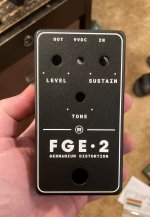
 BTW, winter, I'm Destro over at MB. I don't post often but see both you and Cooder's build reports all the time. Good stuff!
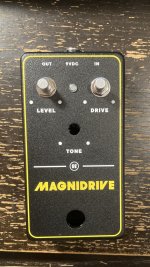

 )
)