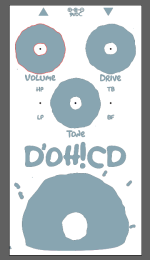
@jeffwhitfield's view is what my view of
@tapatioLORD's file was in illustrator as well. In addition the artboard size was wrong - it was like 15mm wide although it had the correct proportions. Not sure if that was something you missed when setting up your document or part of Affinity's PDF export. Spot colors came through accurately.
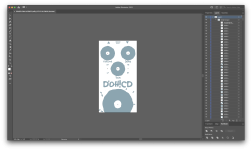
I took a second to organize your file into layers because I'm working on writing a script for Illustrator that would make the process fast enough to the point I'd offer to do it more often.
Please double and triple check everything, I'm doing this after a 12 hour day and easily could have made a dumb mistake! In addition here are some things unrelated to the Affinity PDF issue I fixed that would be red flags for Tayda:
On the gloss layer you should have used the
unite tool to merge these paths into one shape - I think in affinity this is done with the
Add tool. This can rarely impact print quality on any media and it's best to avoid in general. An easy way to fix this is to use the
Select same tool and then merge them. In Illustrator this will produce a group of the finished shapes of the same color which I'll then ungroup.
View attachment 17230
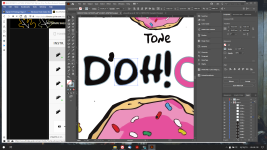
Also on the gloss layer - but in a few places - you have
unexpanded strokes. Tayda says to avoid this with their UV printing. I have personally never seen this impact print quality on paper but it's standard practice to avoid this even outside UV printing for a final document as well.
View attachment 17229
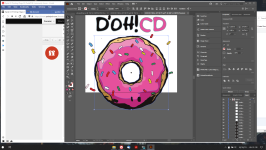
Last thing. It might be hard to see but Tayda also wants us to not have overlapping paths. I've selected the black and pink fills on the bottom donut here - there's a black shape behind the pink one. You can use the
divide tool to separate these out. Again, I'll usually just do this all at once near the end of getting a file ready.
View attachment 17232
And then a few opinionated suggestions:
You'll get a crisper and darker black (assuming that's what you're going for with the darkest color in your design) using what's called a rich black. My default go to is CMYK %s:
60, 40, 40, 100. The Pantone color bridge has some other builds as well depending if you want one slightly tinted.
The UV printing doesn't reach to the absolute edges of an enclosure so where the donut cuts off on the artboard will have a sharp edge. I try to plan ahead for this by considering maybe 1-2mm inside the artboard the "edge". I did a shitty and quick job but I'd do something like this to avoid the edge:
View attachment 17234
Whether a result of a similar limitation, a stylistic choice, or both, EQD's enclosures show an especially sharp way of avoiding enclosure edges.
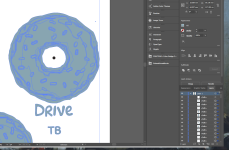
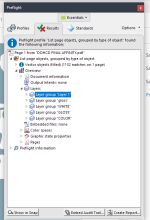
One last general thing, Adobe Preflight - in addition to making sure spot colors are embedded - can tell if the document uses layers. Not exactly sure why
Layer 1 and
gloss show up in addition to the others, which are the only ones I see in Illustrator but might be a handy tool.
View attachment 17236