Tayda UV Printing

Got it! Going to give this a try! I just started making my own PCBs, this makes sooo much sense.

The first PCB i made still doesnt have a graphic design exactly cause of these restrictions. :ROFLMAO: Thanks for the tip!
 
One thing I do whenever possible is standardize PCB size and control layouts for multiple pedals as well. For instance, I have 4 designs right now who use an identical control, switch, etc. layout as well as the same size PCB.

Powerboost/Overdriver, Big Muff, Scrambler and the Fresh Drive all have an identical 4 knob layout and PCB, right down to LED placement.
This is a huge help as well! Im going to do the same that will save me so much time in the future instead of making a custom board for every single schematic!
 
What happens if you have artwork that is overlapping on the color layer? I've got that going on in two different files, I'll look into fixing them (maybe the merge tool will behave this time), but it would be easier if it would be ok to not do it.

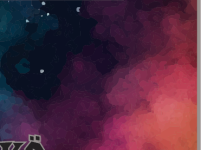
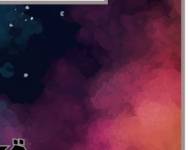
I'll attach one of them here as an example because I also have a second question. When I look at the attached pdf in Acrobat Reader or a browser, the nebula in the background has small lines between the different colors, which do not appear in Illustrator. Is this just a rendering bug or something about the paths being shown? They stay the same size no matter the zoom level (so if you zoom in, the lines get smaller), so I suspect it's just a rendering bug and it's "fine" and won't show up in the print, but can anyone confirm?

The all seeing eye is in front of the nebula on the color layer, so I'll look into merging them. Similar thing with another design.

Edit: Overlapping issues solved easily with merge tool, now just curious about the white lines.
 

Attachments

Last edited:
Technically you are supposed make a cutout in the main color layer but I know many people have had success with printing as is.
Tbh just merging the overlapping layers worked wonders (no issues at all), so that's no longer an issue. Now only curious about the mystery white lines.

Edit: I attached examples:

With white lines in Acrobat Reader:
Whiteline_example_1.png

No lines in Illustrator:
Whiteline_example_2.png
 
It’s probably rendering artifacts and seem pretty small and wouldn’t show up even if they did go to press.
 
View attachment 45836

Anyone know what's going on here? I've printed numerous pedals without issue but can't get past this one!

I had this happen on a pedal, i had a light-medium gray over a flat black box and no RDG_white under it, they wouldnt print it until i had it under everything lighter, I intended for it to be shaded by the lack of RDG_white so I just made it darker and threw that under and resubmitted it.
 
I had this happen on a pedal, i had a light-medium gray over a flat black box and no RDG_white under it, they wouldnt print it until i had it under everything lighter, I intended for it to be shaded by the lack of RDG_white so I just made it darker and threw that under and resubmitted it.
I think this was it. Once I put rdg white under EVERYTHING they printed it no problem.
 
I think this was it. Once I put rdg white under EVERYTHING they printed it no problem.
I wanted to use it for an effect, but I couldn't find a way to communicate that I was happy with however it turned out. Did you end up having success contacting them?
 
From my understanding, the gray they use is just "different levels of black", right? And the white comes only from RDG_WHITE? So a gray gradient on a black box would just be black, from what I understand?

I wonder if the same "RDG_GLOSS" opacity gradient trick would work with RDG_WHITE, from whatever Roland video somebody posted in this thread somewhere. I think I found it by searching for matte/varnish.
 
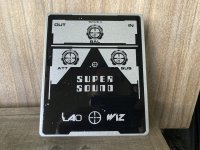
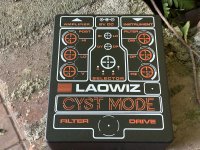
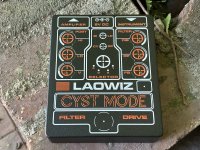
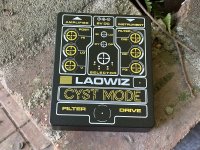
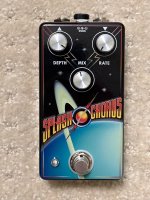
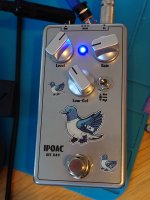
I just wanted to say thanks to everyone here in this thread. I have visited it off and on since the pandemic began but just today received my first printed enclosures from Tayda.

They came out exactly the way I wanted and could not be any more pleased. Thanks to you all for the information and dialogue, as I couldn't have done it without you!
 

Attachments

  • IMG_8948.jpeg
    IMG_8948.jpeg
    593 KB · Views: 58
  • IMG_8944.jpeg
    IMG_8944.jpeg
    683.2 KB · Views: 49
  • IMG_8943.jpeg
    IMG_8943.jpeg
    688.9 KB · Views: 58
  • IMG_8942.jpeg
    IMG_8942.jpeg
    727.8 KB · Views: 60
I had an idea for a print where I would use the chromium enclosure with a robot type creature, have a fill in white (or whatever color) inside my outlines, and cut out parts of the robot creature to use the chromium as a "color".

Now, that would probably work fine - all of the parts would just be in one solid color, but it could be fine.

But does anyone have experience with just using bare tones on the enclosure for something like that? So I would skip the white layer and just use the color layer, so it would still shade the chromium a little, but it would show through? Does Tayda allow that (or if they complain that there's no white layer, I could say "it's intended, go ahead"), or does it look bad? Anyone done this before?
 
I had an idea for a print where I would use the chromium enclosure with a robot type creature, have a fill in white (or whatever color) inside my outlines, and cut out parts of the robot creature to use the chromium as a "color".

Now, that would probably work fine - all of the parts would just be in one solid color, but it could be fine.

But does anyone have experience with just using bare tones on the enclosure for something like that? So I would skip the white layer and just use the color layer, so it would still shade the chromium a little, but it would show through? Does Tayda allow that (or if they complain that there's no white layer, I could say "it's intended, go ahead"), or does it look bad? Anyone done this before?
Couple things.

1. I was actually planning to do something very similar (even involving a robot - the one from Queen's News of the World album). But based on everything I heard here, I would NOT use chromium. Have heard that it is very fragile, catches scratches if you look at it the wrong way, chips easily- - so most people here say to avoid it like the plague. Same for ball silver. Consider the following if they work for your desired effect - winked silver or matte aluminum (not the same as 'bare aluminum" - matte aluminum is coated with matte finish so the UV printing "sticks" to the surface (unlike bare aluminum, on which the UV print can sometimes fail to adhere properly)).

2. There seems to be some uncertainty here as to whether Tayda requires all colors to be solids or, instead, can handle gradients. I can confirm that Tayda's printing CAN handle gradients - it can even handle gradients on the GLOSS layer (i.e., so the gloss "fades away" at the edges rather than creating a hard slope). So consider achieving your effect by using gradients if that gets you closer to what you want rather than by using a color layer without white and allowing the enclosure finish to "shade" the surface color- which might lead to unpredictable color results. I always put a white layer under colors to make sure the color comes out as expected, and then use gradients on the white and color layers if I need a fade.

Attached are some pics of an enclusre I did to illustrate a few of my points:

- colors on a black enclosure, where the black was actually made part of the design feature
- use of gradients on white and color layers (see, e.g., the lines that fade out as they extend), and
- use of gradients on the gloss layer (see the close up of the stars and the edges of the main words in the logo)

Mike
 

Attachments

  • IMG_8637.jpg
    IMG_8637.jpg
    407.6 KB · Views: 58
  • IMG_8635.jpg
    IMG_8635.jpg
    420.1 KB · Views: 57
I posted a video here somewhere that talks about using gradients with the gloss and with white. It had some pretty cool techniques and effects. That’s a good idea about using a gloss gradient on the edges, and also to use varying degrees of transparency with the gloss layer as it looks like you did in the second pic(?)- I assume it varies the thickness of the gloss that’s laid down.
 
I posted a video here somewhere that talks about using gradients with the gloss and with white. It had some pretty cool techniques and effects. That’s a good idea about using a gloss gradient on the edges, and also to use varying degrees of transparency with the gloss layer as it looks like you did in the second pic(?)- I assume it varies the thickness of the gloss that’s laid down.
I'm pretty sure the video you posted was what gave me the idea and confidence to try it- the video demonstrated that RDG-GLOSS could handle gradients/varying opacity/transparency, so I gave it a shot and sent it off to Tayda without asking first whether they could handle it (even if they could, I'd expect a "no" if it was something they had never tried before if they mistakenly believed it was not possible). So thank you.

And, yes, adding gradient to the gloss just means that the printer lays down less and less gloss as it moves across the gradient (same as for how it handles color and white gradients).

Edit to add - I'm using "gradient" and "transparency" somewhat interchangeably here, even if that might technically be inaccurate.

M
 
Couple things.

1. I was actually planning to do something very similar (even involving a robot - the one from Queen's News of the World album). But based on everything I heard here, I would NOT use chromium. Have heard that it is very fragile, catches scratches if you look at it the wrong way, chips easily- - so most people here say to avoid it like the plague. Same for ball silver. Consider the following if they work for your desired effect - winked silver or matte aluminum (not the same as 'bare aluminum" - matte aluminum is coated with matte finish so the UV printing "sticks" to the surface (unlike bare aluminum, on which the UV print can sometimes fail to adhere properly)).

2. There seems to be some uncertainty here as to whether Tayda requires all colors to be solids or, instead, can handle gradients. I can confirm that Tayda's printing CAN handle gradients - it can even handle gradients on the GLOSS layer (i.e., so the gloss "fades away" at the edges rather than creating a hard slope). So consider achieving your effect by using gradients if that gets you closer to what you want rather than by using a color layer without white and allowing the enclosure finish to "shade" the surface color- which might lead to unpredictable color results. I always put a white layer under colors to make sure the color comes out as expected, and then use gradients on the white and color layers if I need a fade.

Attached are some pics of an enclusre I did to illustrate a few of my points:

- colors on a black enclosure, where the black was actually made part of the design feature
- use of gradients on white and color layers (see, e.g., the lines that fade out as they extend), and
- use of gradients on the gloss layer (see the close up of the stars and the edges of the main words in the logo)

Mike
Hmm, thanks, I'll keep it in mind. I do have one chromium enclosure which came out pretty darn well, although I haven't dinged it on anything yet so I don't know how easily it scratches or chips. I think that chromium would work great for a robot. And I guess the UV print fill would actually protect the main image at least a little bit, although it could still easily chip on the outer edges, for example. I could maybe also try using a clear lacquer layer on it once I get it - I asked about whether people have tried that before, but got no answers.

Your point about the unpredictable results is a good one, although I was thinking mostly of different kinds of shading, dark/blue shades (but not black), which I assume would translate more or less as intended even if the exact colors aren't quite accurate. But I could also try out gradients. Did you first test the gradients with white and then turn them into the Roland white swatch?

Pic of my chromium enclosure, it looks fabulous in person due to the shiny paint, although I'm less enthusiastic about the graphic than when I did it. RFC 1149 explanation if you're not familiar with it.

DSC_2164.JPG
 
I'm pretty sure the video you posted was what gave me the idea and confidence to try it- the video demonstrated that RDG-GLOSS could handle gradients/varying opacity/transparency, so I gave it a shot and sent it off to Tayda without asking first whether they could handle it (even if they could, I'd expect a "no" if it was something they had never tried before if they mistakenly believed it was not possible). So thank you.

And, yes, adding gradient to the gloss just means that the printer lays down less and less gloss as it moves across the gradient (same as for how it handles color and white gradients).

Edit to add - I'm using "gradient" and "transparency" somewhat interchangeably here, even if that might technically be inaccurate.

M
Right on. Glad to know it worked!
 
Hmm, thanks, I'll keep it in mind. I do have one chromium enclosure which came out pretty darn well, although I haven't dinged it on anything yet so I don't know how easily it scratches or chips. I think that chromium would work great for a robot. And I guess the UV print fill would actually protect the main image at least a little bit, although it could still easily chip on the outer edges, for example. I could maybe also try using a clear lacquer layer on it once I get it - I asked about whether people have tried that before, but got no answers.

Your point about the unpredictable results is a good one, although I was thinking mostly of different kinds of shading, dark/blue shades (but not black), which I assume would translate more or less as intended even if the exact colors aren't quite accurate. But I could also try out gradients. Did you first test the gradients with white and then turn them into the Roland white swatch?

Pic of my chromium enclosure, it looks fabulous in person due to the shiny paint, although I'm less enthusiastic about the graphic than when I did it. RFC 1149 explanation if you're not familiar with it.

View attachment 46927

First of all, your enclosure looks fabulous. If you've had good luck with chromium, go for it again - I'm just repeating what I've heard here, and have no direct experience with it. But the comments here kept me from using it, which is a bummer because I think it looks great, and your enclosure demonstrates that.

Yes, I do everything in the white layer in "plain old white" and then convert it to the RDG swatch just before finalizing to send off to Tayda.

M
 
First of all, your enclosure looks fabulous. If you've had good luck with chromium, go for it again - I'm just repeating what I've heard here, and have no direct experience with it. But the comments here kept me from using it, which is a bummer because I think it looks great, and your enclosure demonstrates that.

Yes, I do everything in the white layer in "plain old white" and then convert it to the RDG swatch just before finalizing to send off to Tayda.

M
I suspect for a gigging musician the chromium is probably not a good idea. But I pretty much just play at home (and I've kept my pedals mostly on a table anyway), so I think it will be fine for me.
 
Back
Top