Tayda UV Printing

View attachment 89515

Order from 18th, drill job for all 8 enclosures done about the same day, then the first of those was painted, then two days later 1 more paint job started.
I guess paint jobs are one a day now lol.

(this is not a dig, I just think its sort of funny)
I assume those are different colors? They're probably doing them in batches along with order orders.
 
View attachment 89515

Order from 18th, drill job for all 8 enclosures done about the same day, then the first of those was painted, then two days later 1 more paint job started.
I guess paint jobs are one a day now lol.

(this is not a dig, I just think its sort of funny)
consider yourself lucky, friend. I placed my order on the 14th, drilling was completed in a couple days, but the first 3 out of 5 of my paint jobs (the three that were the same color) just were started today. Not sure why your paint jobs are moving faster than mine but i'm just honestly just happy mine started moving again - I'd assume the reason would be something like your paint choice coincides with other jobs higher up in the queue.
 
View attachment 79169


TAYDA contacted me to say there was a problem with the UV printer QC problem.
They tell me I don't need to take any action.
But there is a "print as is" button next to it, do I need to click it or can I just wait?
Damn, after 10 days of waiting on five prints, two of those got this message. And I thought it was about to be shipped. How long did it take to redo them?
 
Damn, after 10 days of waiting on five prints, two of those got this message. And I thought it was about to be shipped. How long did it take to redo them?
It varies depending on their workload and on when they're planning to do a batch of that color. My January 29 order had two different designs, 25 qty each, and just when it looked like they were going to finish, I got the dreaded QC message on both designs. That happened February 6 or 7, and they haven't moved since then.
 
One observation I have made, they do seem to be doing powdercoats in batches based on whatever has a lot of units in the queue for a given color. I've started breaking up my orders into smaller batches so a problem in one won't slow down the others, but since all of my "commercial" designs use the same color powder (winked silver) they all got coated at the same time.
 
They do seem to be doing powdercoats in batches based on whatever has a lot of units in the queue for a given color.
It's what it looks like, yes. I had 6 enclosures in my january 30th order, one light pastel green and five candy purple in different sizes. The green one was ready in two days, the purple were painted yesterday, and this morning I discovered that 2 prints had gone wrong.
 
Last edited:
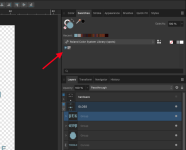
Unfortunately I failed with my first Tayda UV print. I created the design in Affinity Designer 2 and made sure everthing is converted to path, and set the WHITE and GLOSS color using rdg_white and rdg_gloss from the Roland swatches that I downloaed from @Danbieranowski post (thanks man! ✌️). But I got the error message from Tayda saying "none of the things in your gloss layer were painted with rdg_gloss paint". Did anyone else run into this issue lately? See the screenshot below how I set the rdg_gloss for the objects in GLOSS layer, and the exported PDF if anyone can help take a look. Thank you!
1740373675998.png


Attachments

The CMYK value of your RDG_GLOSS looks different from the one I see in Illustrator, just like somebody who had their pdf rejected pointed out in the thread you linked.

"I noted this in another thread but thought it would be helpful to emphasize this for others who run into similar issues with Affinity Designer. I couldn't get my Roland swatch colors to survive the PDF export process when they were imported as a system palette, but re-importing as an application palette did the trick."

Maybe this?
 
The CMYK value of your RDG_GLOSS looks different from the one I see in Illustrator, just like somebody who had their pdf rejected pointed out in the thread you linked.

"I noted this in another thread but thought it would be helpful to emphasize this for others who run into similar issues with Affinity Designer. I couldn't get my Roland swatch colors to survive the PDF export process when they were imported as a system palette, but re-importing as an application palette did the trick."

Maybe this?
Thanks for checking. I updated the file and restarted the UV print job again. Hope it will be printed fine this time.
 
Regarding the QC issue, Hugo explained that the larger the area covered with gloss varnish, the higher the chance that it will develop air bubbles, forcing them to restart from scratch.

I had one intricate design in particular with a full face gloss varnish that made them regret offering the UV printing service. Let's just say that after a few consecutive failures one of the enclosures in my order had a powder coat so thick that it could withstand an artillery shell.

Lesson learned: it's best to avoid large surfaces covered with gloss varnish. Now, is it the same for matte varnish? Probably not? 🤷‍♂️
 
Regarding the QC issue, Hugo explained that the larger the area covered with gloss varnish, the higher the chance that it will develop air bubbles, forcing them to restart from scratch.

I had one intricate design in particular with a full face gloss varnish that made them regret offering the UV printing service. Let's just say that after a few consecutive failures one of the enclosures in my order had a powder coat so thick that it could withstand an artillery shell.

Lesson learned: it's best to avoid large surfaces covered with gloss varnish. Now, is it the same for matte varnish? Probably not? 🤷‍♂️

Ahh... I've been using full face gloss varnish myself on most designs to better protect it. I wonder if I should maybe change that? I didn't see any official word about it being a bad thing anywhere.
 
Regarding the QC issue, Hugo explained that the larger the area covered with gloss varnish, the higher the chance that it will develop air bubbles, forcing them to restart from scratch.

I had one intricate design in particular with a full face gloss varnish that made them regret offering the UV printing service. Let's just say that after a few consecutive failures one of the enclosures in my order had a powder coat so thick that it could withstand an artillery shell.

Lesson learned: it's best to avoid large surfaces covered with gloss varnish. Now, is it the same for matte varnish? Probably not? 🤷‍♂️
I never use varnish, but I still get QC issues from time to time. Probably not as often as if I were doing full-face varnish jobs, but they will happen either way.
 
Last edited:
True, it happens anyway, even with no gloss layer, but it seems that flooding enclosures with gloss varnish increases the chances of ruining somebody's day in Thailand, enraging young enviromental activists in Sweden and making the queue longer for everyone on the planet.

It's not yet official but Hugo said: "soon we will post message in website that we can accept gloss print only over few objects in artwork, not full face because it takes very long time".
 
Good to know, I almost always add varnish over the complete color layer also to protect it. In my last order, one enclosure had an almost complete varnished face and had no problems. Two simple enclosures with borders and small design had air bubbles.
One thing I noticed is that on the enclosure with a lot of gloss, when I punched my holes, the uv print lifted, as in the gloss and black under peeled from the paint. The paint under was not chipped as I first thought. The lifted portion was small enough that after drilling nothing showed up.
 
Hi everyone, I'm new-ish to this stuff - I have had a couple very simple designs printed successfully, and now I'm looking to do a more complex one on multiple faces and I have a possibly-dumb question (I'm using Affinity Designer):

For printing on the face - what Tayda calls "side A" - you can just import the template they provide and it matches their stated size... but if I want to print on side C as well, how do I add that to my PDF? Tayda shows how they want the faces aligned but doesn't provide any more details.
 
Hi everyone, I'm new-ish to this stuff - I have had a couple very simple designs printed successfully, and now I'm looking to do a more complex one on multiple faces and I have a possibly-dumb question (I'm using Affinity Designer):

For printing on the face - what Tayda calls "side A" - you can just import the template they provide and it matches their stated size... but if I want to print on side C as well, how do I add that to my PDF? Tayda shows how they want the faces aligned but doesn't provide any more details.
been wondering this myself. Hoping someone has some insight or an example file they can share
 
Hi everyone, I'm new-ish to this stuff - I have had a couple very simple designs printed successfully, and now I'm looking to do a more complex one on multiple faces and I have a possibly-dumb question (I'm using Affinity Designer):

For printing on the face - what Tayda calls "side A" - you can just import the template they provide and it matches their stated size... but if I want to print on side C as well, how do I add that to my PDF? Tayda shows how they want the faces aligned but doesn't provide any more details.
Each side of the print job will have to be a separate file. When you're uploading the file it asks you what side the file is for, so you just need to upload that separate pdf as a side C file, then when you order a side C print it will ask you which file to do on side C.
 
Each side of the print job will have to be a separate file. When you're uploading the file it asks you what side the file is for, so you just need to upload that separate pdf as a side C file, then when you order a side C print it will ask you which file to do on side C.
OK, that makes more sense... that's how I started designing it until I saw some posts here implying that they were expecting one big file for the whole thing. Thanks!
 
FWIW my order from Feb 26 is complete - except for one where I got the QC failure message. It's one of the ones with a full face UV coverage, so I feel a little bad about it - but I did the order before I read about it being a bad thing, so not really my fault.
 
Back
Top