steviejr92
Authorized Vendor
Dang it you beat me to it lolIn Illustrator if you select all, then merge from the pathfinder, it will flatten all the shapes. You need to expand text or stroke layers first though.
View attachment 45400

Dang it you beat me to it lolIn Illustrator if you select all, then merge from the pathfinder, it will flatten all the shapes. You need to expand text or stroke layers first though.
View attachment 45400

Holy hell that would be a billion times easier than what I have to do in Inkscape duplicating one shape and then subtracting it from the other. I did some searching to see if there was an equivalent to pathfinder's merge and it doesn't look like it. The boolean operations are as good as it gets and combine doesn't work the same way.In Illustrator if you select all, then merge from the pathfinder, it will flatten all the shapes. You need to expand text or stroke layers first though.

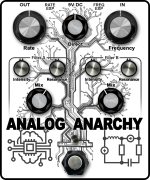
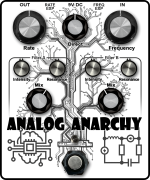
Currently contemplating which title font to go with on a Chaos Machine build in a 1590XX enclosure.
View attachment 45473 View attachment 45474
I'm leaning towards the 2nd one . . . .

This is what's holding me back from using tayda for UV printing. It would take me 3 forevers to edit all the overlapping shapes in inkscapeHoly hell that would be a billion times easier than what I have to do in Inkscape duplicating one shape and then subtracting it from the other. I did some searching to see if there was an equivalent to pathfinder's merge and it doesn't look like it. The boolean operations are as good as it gets and combine doesn't work the same way.

Hell… I didn’t even have to say anything. y’all just chose the right product without my having to evangelize…This is what's holding me back from using tayda for UV printing. It would take me 3 forevers to edit all the overlapping shapes in inkscape

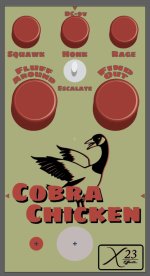

It takes me about 30min to an hour to edit all of the overlapping shapes in Inkscape on something particularly complicated. I can’t think of the process off the top of my head to explain, but I figured out some tricks to make it go faster. I’ll try to put together a little explanationThis is what's holding me back from using tayda for UV printing. It would take me 3 forevers to edit all the overlapping shapes in inkscape
Thanks. I'm sure I'll find it useful. I'm gonna bite the bullet and learn illustrator at some point too, but time is shortIt takes me about 30min to an hour to edit all of the overlapping shapes in Inkscape on something particularly complicated. I can’t think of the process off the top of my head to explain, but I figured out some tricks to make it go faster. I’ll try to put together a little explanation
@UtilityBeltFX Question. When I zoom in I can see that this is vectorized. Did you do this with Illustrator? If so does Illustrator take care of making sure you don't have overlapping shapes? When I vectorize with Inkscape and I don't do it "stacked" it looks like crap with tons of gaps, but doing it stacked means that there are overlapping shapes everywhere and Tayda says not to do that. Cleaning all that stuff up manually is a huge pain in the ass if you did that here, my hat is off to you.
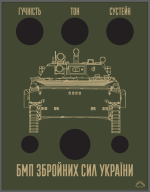
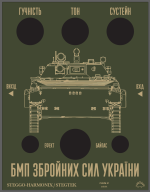
Dude your graphics always rock but man i LOVE this one!I'm also reworking the art on my Ukrainian Army BMP (Sovtek / Red Army BMP - with updated name for new realities...)
View attachment 45732
Thanks to my friend Dmytro for the translations...

No dinosaurs, it may get rejected.I'm also reworking the art on my Ukrainian Army BMP (Sovtek / Red Army BMP - with updated name for new realities...)
View attachment 45732
Thanks to my friend Dmytro for the translations...

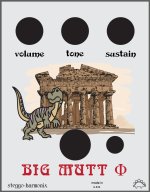
There's a Steggo in the corner...No dinosaurs, it may get rejected.

Good job!I'm also reworking the art on my Ukrainian Army BMP (Sovtek / Red Army BMP - with updated name for new realities...)
View attachment 45732
Thanks to my friend Dmytro for the translations...
 , but translated in Ukrainian means "of the armed forces"
  .
.
Looks great, can't wait to see it when the in/out is fixed and back on top-tracks.


Really good! I love the words that have been translated phonetically, I guess there's no counterpart for bypass and sustain.