Bear in mind I have almost 20 yrs experience in the print design world, so a lot of it is just instinct / gut feeling mixed with automatic process, and it can be hard to explain briefly, so apologies if there are any gaps.
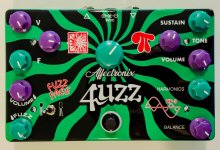
Avoid anything K=100—typically I make my darkest gray ~K=90—again, this is hard to do on screen. Ink saturation can be viewed in illustrator, looking at the Color palette where you see the CMYK sliders. But this sort of thing, especially if you want to do a full-color, realistic-looking image like you have on the fuzzmaster general, it's best to do all of the CMYK adjustment in Photoshop, then import the image into Illustrator to auto-trace. But again, I don't typically do more than 64 colors when I do an auto-trace (that's the extreme end; typically it's >32 colors).
The most important part is the black generation portion of that CMYK image prep.
For some applications what I will occasionally do is rather extreme and may not be to everyone's taste. I look at the areas of the design and then look at whatever enclosure color I'm going to use, and see if I can remove any areas of ink that are either the same, or near-as-makes-no-difference the same. Again, I'm personally not into the full, photorealistic graphic end of things.
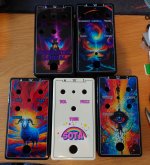
Here's are two examples. I knew they would both be on black enclosures, and I planned my image adjustment accordingly so that I could 1) have high enough contrast to do what I wanted here, and 2) few enough colors so I could manually tweak them.
So those areas which were dark enough just got deleted in the final print file (again, I've mentioned this, but as a general rule, NEVER make these kinds of destructive changes with your main, working art file; always save-as a new file for print export purposes).
You might be able to tweak the contrast on your base image so more of the dark areas around the smoky, cloudy, aurora-y areas could simply be removed.
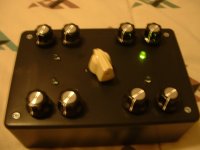
Here are the results of those two examples; your mileage may vary:
I hope that is helpful. My process is to see the limitations/intentions of printing on enclosures (simpler is better) and work within those constraints.