Tayda UV Printing

Just expporting my ai files to PDF to send off to tayda. I looked around a bit, and haven't seen specifics on PDF specs, but i might have just missed it...

Y'all just saving as Illustrator Default?or are there any export setting to be changed?View attachment 45103
That’s exactly what I used and my print jobs came out looking fantastic. The important thing is that it exports with the layers which, as you can see, is one of the defaults checked.
 
So what is everyone currently experiencing as far as turnaround times? I know that the Tayda UV printing page states 12 business days – but I also see other pages that are warning people about delays due to the “long holiday“ that happened back in January so I’m not really clear on how much effort Tayda makes to keep those announcements/estimated timelines current.

My current order (my first) has been “in progress” for going on three weeks now and was just curious as to how much longer I should expect before it’s completed and shipped (I stupidly put a lot of components I needed in the same order to save on shipping, so I’m not going to receive them until the enclosures are done).

Thanks,
Mike

I just placed an order for a printed enclosure and it took about 4 days between my generating the job and it being shipped. I was frankly surprised at how fast it went. I was also surprised given that I used the Inkscape/Scribus method of preparation (thanks to all of those that contributed very clear instructions for that) and did not experience any problems (ostensibly... I guess we'll see when it arrives).
 
I just placed an order for a printed enclosure and it took about 4 days between my generating the job and it being shipped. I was frankly surprised at how fast it went. I was also surprised given that I used the Inkscape/Scribus method of preparation (thanks to all of those that contributed very clear instructions for that) and did not experience any problems (ostensibly... I guess we'll see when it arrives).
Thanks – mine finally showed up and they looked amazing. I just placed another order on Wednesday so I’m hoping that this one will go much more quickly. So far, out of the four enclosures I placed in this latest order they have completed drilling and painting one (but not started UV printing) and have completed drilling on the other three but not yet started painting. In any event, this is a faster early progress than my first order.
 
Anyone have any experience with resubmitting UV templates if Tayda identifies an issue? I got a notice that my gloss layer was not painted using RDG_Gloss (no idea why, since it is and is painted using the Roland swatches from their website.) I get the options to "start over" to upload a new UV template or "print as is".

To be safe. I redid the gloss layer but when I hit "start over", which is supposed to let you upload a new UV template, the system just says "Box Job cannot be deleted" and will not let me go any further. Does this eventually change and let you upload a new UV template? I've submitted a ticket to Tayda but, in my experience, it sually takes a few days for them to respond, if at all.
 
  • Like
Reactions: Nic
I had similar experiencw last week using scribus, I did not select to optimize for print or something like that. I had the file contains layer box checked, but forgot about that option.

I was able redo the layout and resubmit the job.
 
I had similar experiencw last week using scribus, I did not select to optimize for print or something like that. I had the file contains layer box checked, but forgot about that option.

I was able redo the layout and resubmit the job.
If you don't mind me asking - how many enclosures were in your order and how soon were you able to re-submit? I have 4 enclosures in my order, with only 1 flagged (so far) but none have fully completed printing- I'm wondering if they don't allow you to resubmit until all of your enclosures in a given order have either printed successfully or been flagged with an issue.
 
If you don't mind me asking - how many enclosures were in your order and how soon were you able to re-submit?
That was a single enclosure in my order. Are you able to delete your pdf at his point ? If I remember correctly, I think I could not re-submit. I had to cancel the job, then upload my new file and only then I could reset the job for the enclosure. It was then processed the next day. But maybe you are right about the number of enclosure... I'd also email Hugo.
 
Umm can you also tell Hugo their website has been down for at least 24 hours? 😬 It's not just me right? It's not working on my PC or iPhone.
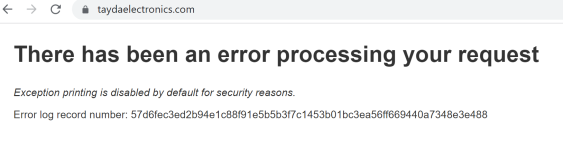
1680628678214.png
 
Umm can you also tell Hugo their website has been down for at least 24 hours? 😬 It's not just me right? It's not working on my PC or iPhone.

View attachment 45449
Website works fine for me, and has all day.

Do you have an email address for Hugo? Any time he's written me, it's form their general help email address and is tied to a ticket I ordered (and each back and forth gets logged in their ticketing correspondence system).
 
Ok I tried a browser that I had never logged in on and it works. Something is up with my account. I got an email sent to the website department to take a look.
 
It just occurred to me that one on of my designs I ordered, the design and this the artboard was for a horizontally oriented 1590BB even though it they lost the artboard coordinates for something that’s vertically oriented. Does it just automatically rotate or something? Because I didn’t get any messages about it being an issue within the Tayda printing tool menu and it’s just listed as in progress
 
Back
Top
